
Manual input
Generic sheet / spreadsheetThe same template for everyone — you fit the sheet, not the other way around.
Compare what happens before, during and after the session. Context, active plans, logging, editing and continuity reveal each option's value better than the word “AI”.
Plan, session and summary in one app
The categories below represent common ways to organize training. Features vary by product, so the comparison highlights what is manual, what needs checking and what is integrated in SelfShapeAI.
The same template for everyone — you fit the sheet, not the other way around.
Can use what you describe; check how much of that context remains after generation.
Starts from your goal, level, frequency, equipment and routine — the plan is born from your context.
It can work very well when someone organizes, interprets and updates the data. The cost is the manual work between logging, comparing and reviewing.
Useful for exploring ideas and asking questions. Before choosing, check whether context persists and whether the answer becomes a structured plan, session and history.
Built for strength training: assessment, Smart Workout, AI Coach, logging, analysis and body progress live in the same app.
You do not have to imagine how integration works. The plan, check-in and analysis are visible in the product and stay connected to training.
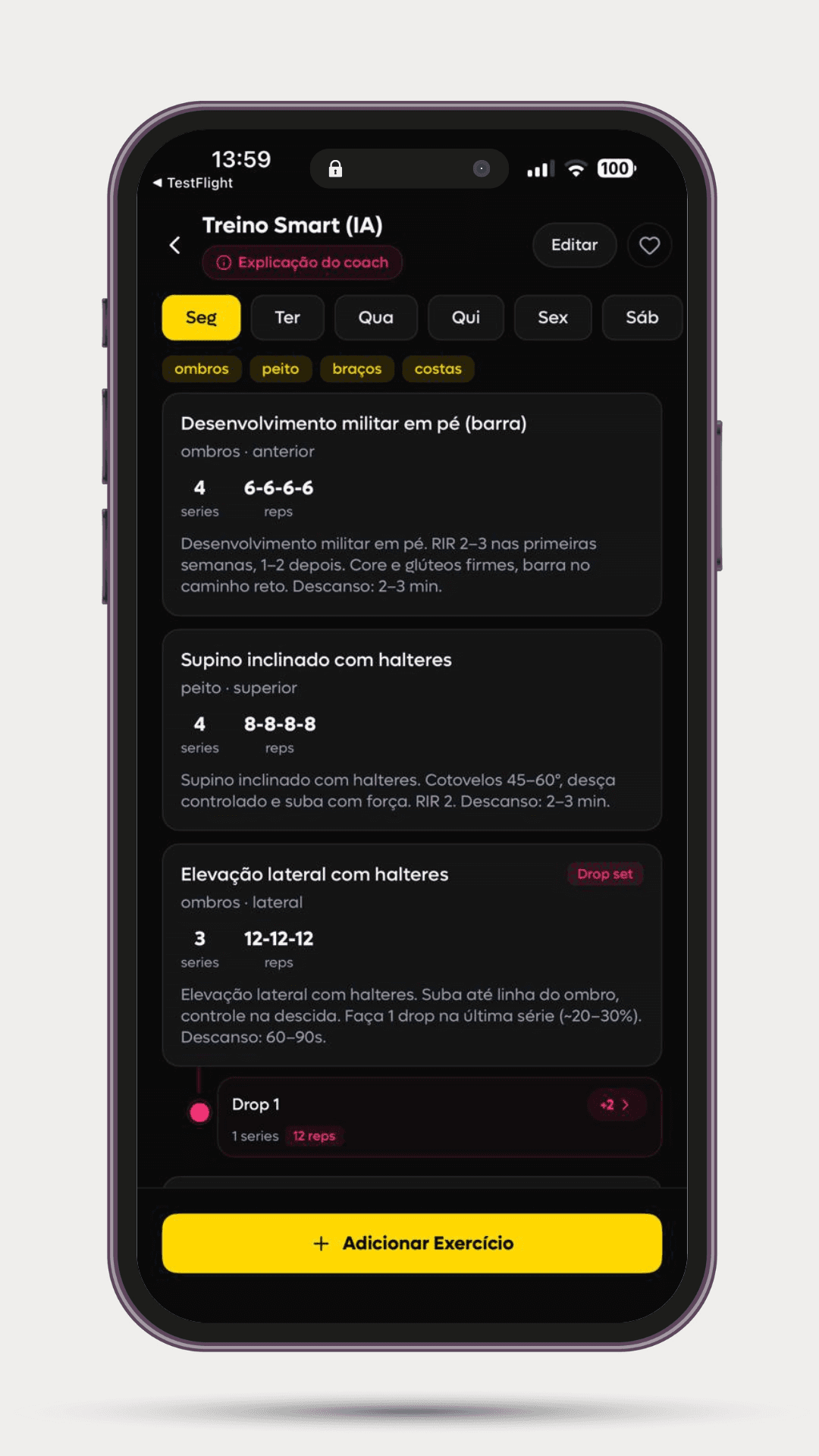
Days, exercises, focus, sets and repetitions remain visible. You can review what AI created without losing the rest of the structure.
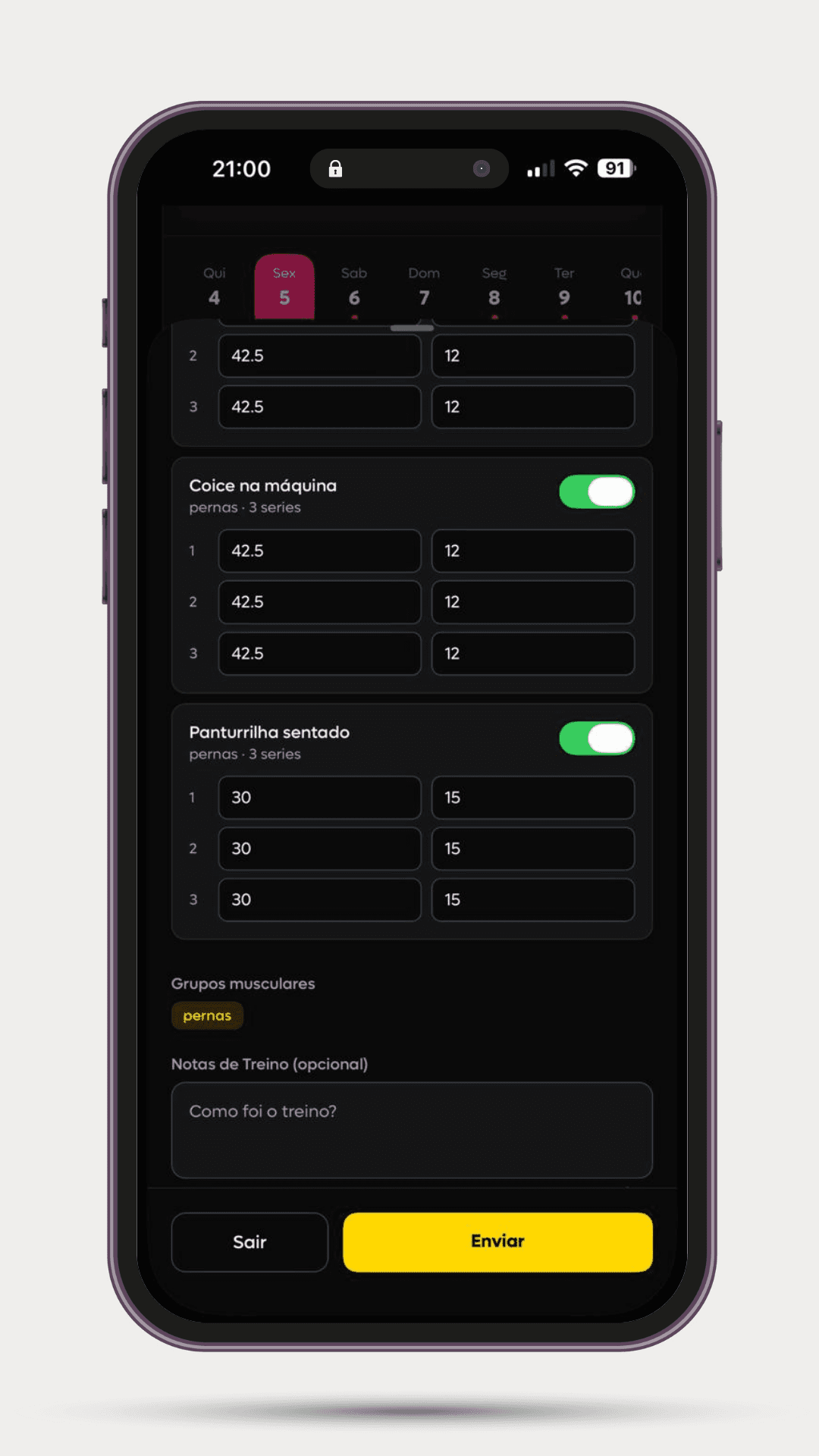
Load, repetitions and notes stay linked to today's workout, without copying the session into another tool.
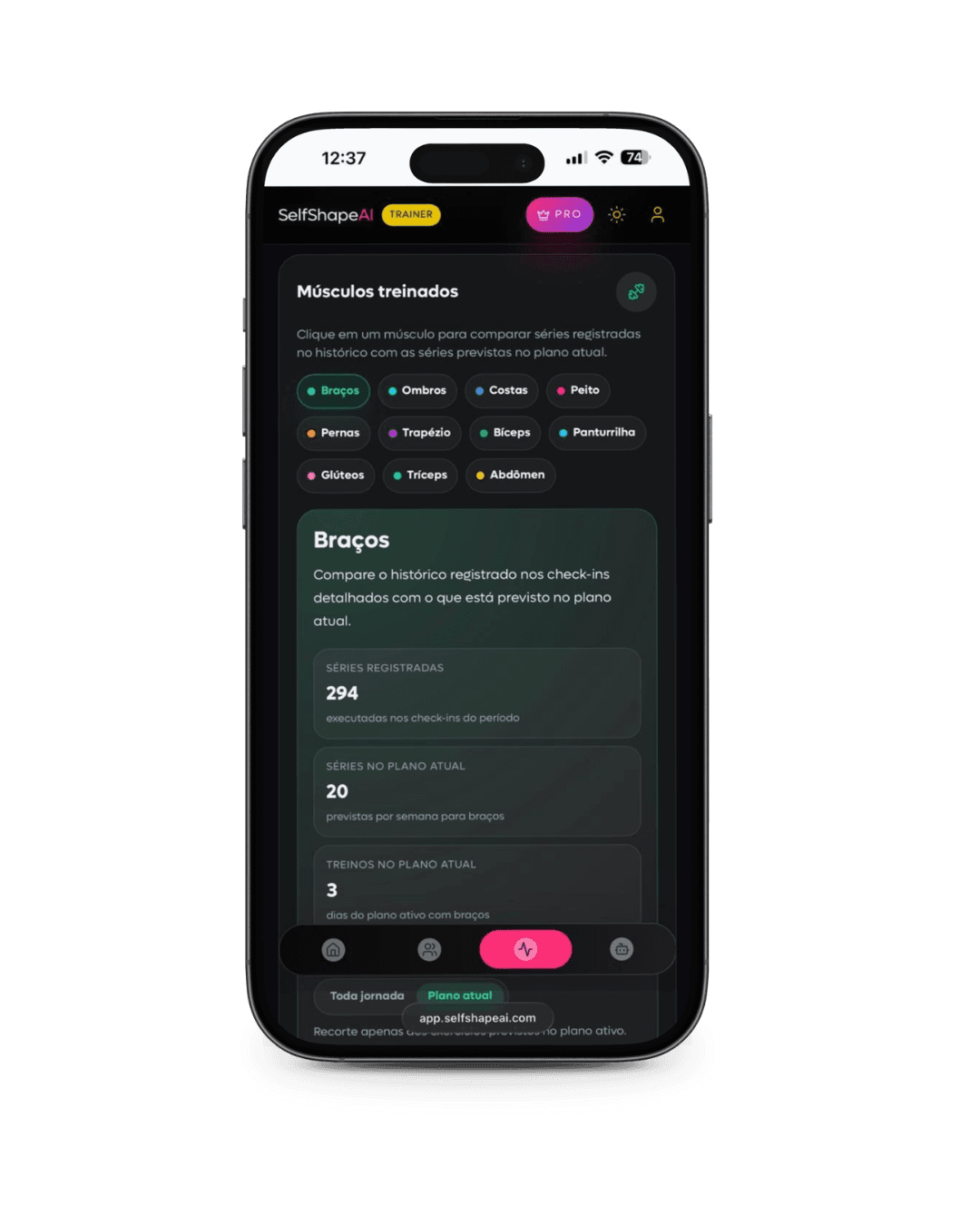
Volume, muscle groups, records and load per exercise help compare what was planned with what you completed.
Use these questions in the store description, product screens and during your evaluation. They help separate promises from available capabilities.
Check whether your goal, routine, equipment and level remain available after the workout is generated.
Check whether guidance refers to the workout you actually have open, beyond a previous conversation.
Load, repetitions, perceived effort and notes need to stay linked to the exercise and date to be useful later.
Look for clear editing, explanations and suggestions you can review. Personalization should not hide changes.
History, session resumption and progress should reduce reliance on memory and manual work the next time you train.
Download for free and explore Smart Workout, session logging and analyses. Compare them with how you organize training today.

Scan the code or choose your store to download on iPhone or Android.


It depends on what you need. Compare whether the app builds workouts around your routine, maintains an active plan, logs sessions, allows editing and turns logs into analyses. SelfShapeAI brings these capabilities together for strength training on iPhone, Android and the browser.
A prompt generator can offer ideas and answer questions. In SelfShapeAI, AI is connected to the assessment, active plan, check-ins and the app's own analysis tools.
Not invisibly. You can edit days, exercises and focus, while AI Coach explains choices and helps you review adjustments in the context of your active plan.
Yes. Download for free and explore SelfShapeAI. Check the features and subscription terms shown in the app before choosing a plan.
Want to go deeper? Explore all features or read the guide to the best workout tracking app in 2026.