



You have already started

Train better see it change never stop

You train. SelfShapeAI does the rest: it builds your week of workouts, guides every session, logs everything you did and shows volume, records and consistency.

5.0 on the App StoreTraining in your contextResume where you stopped
Continue my training in the app

SelfShapeAI feature demonstration

  1. Intelligent training

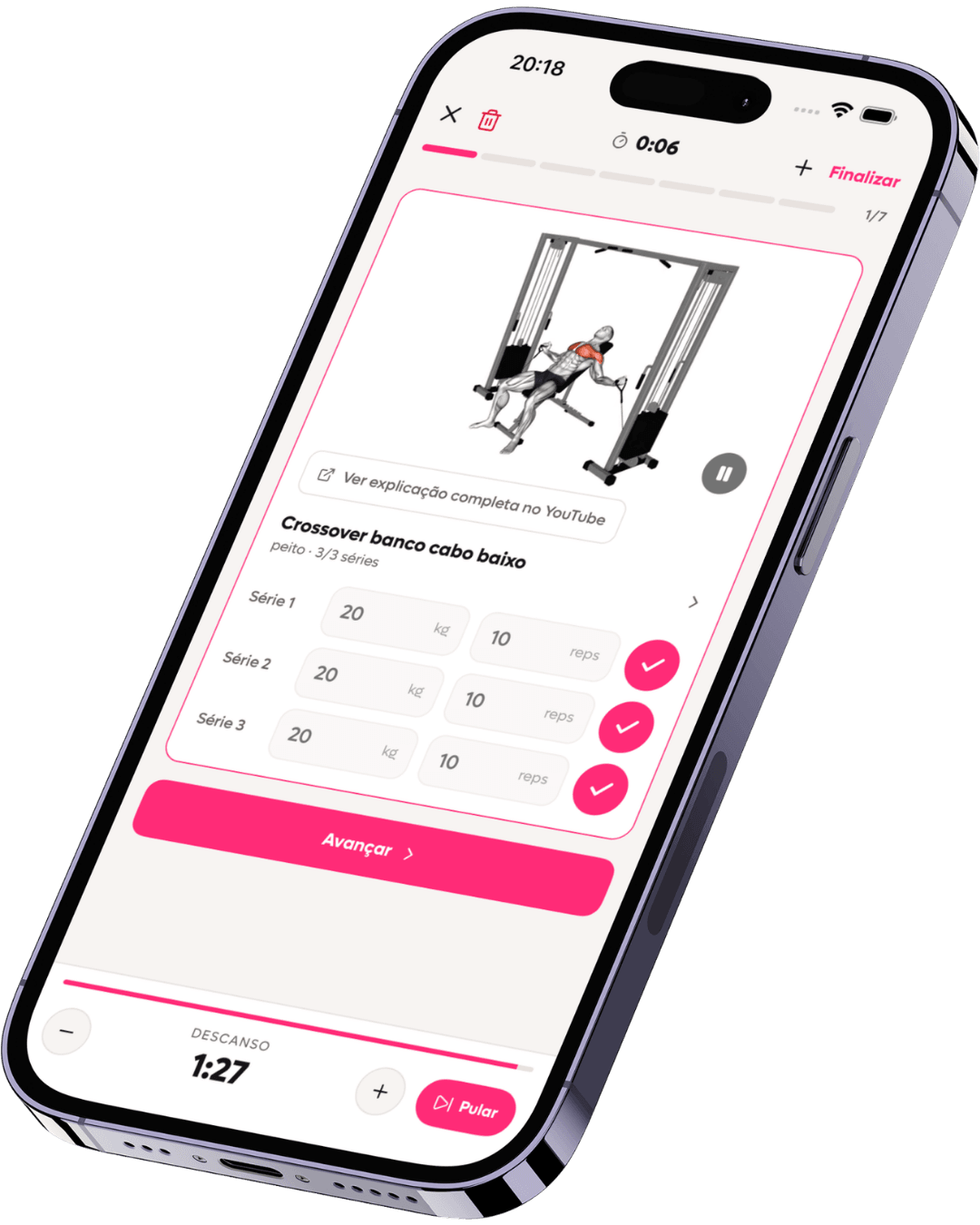
    Exercise and guidance on the same screen

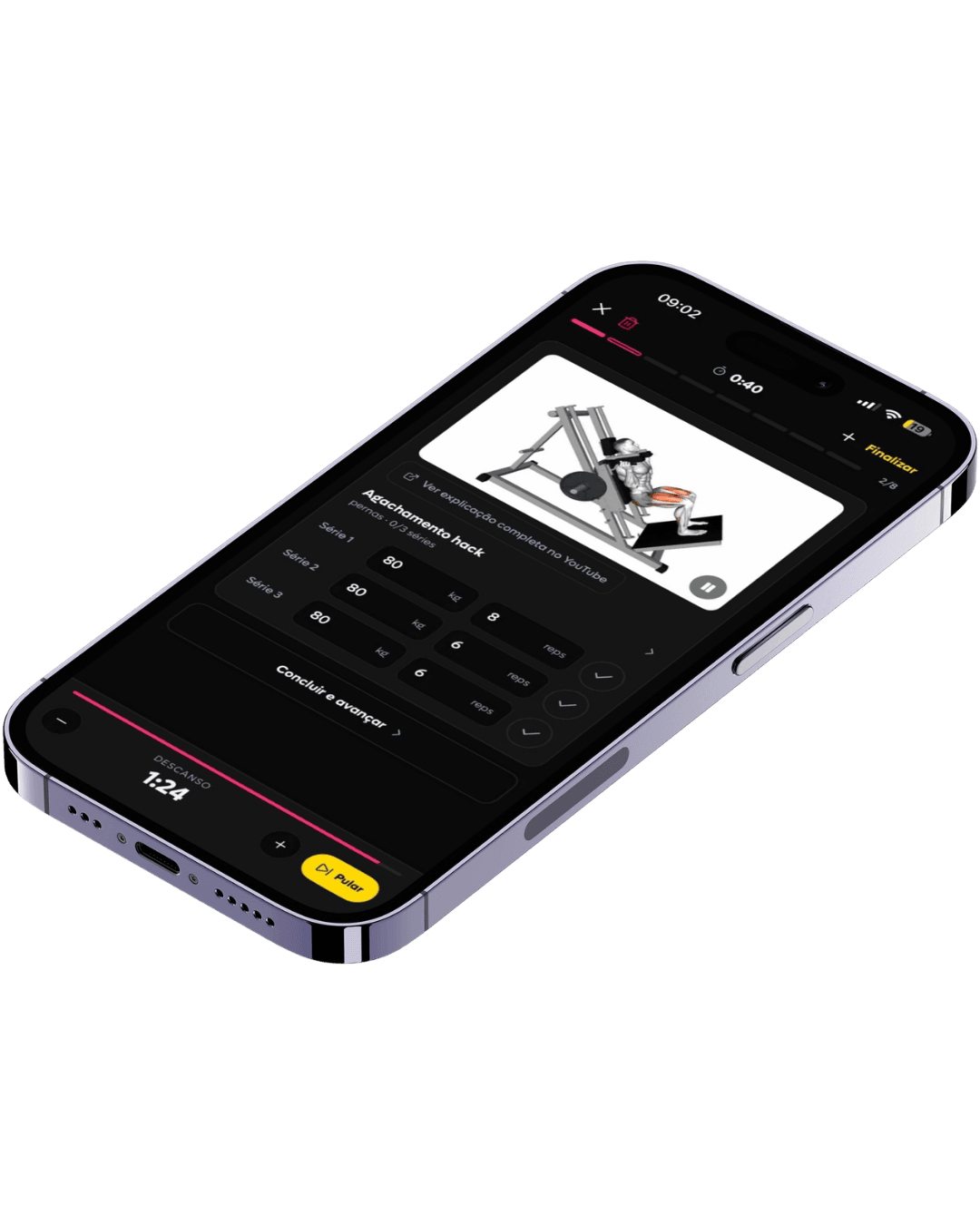
    SelfShapeAI live session with exercise video, load and repetitions for each set, and an active rest timer.
  2. Intelligent training

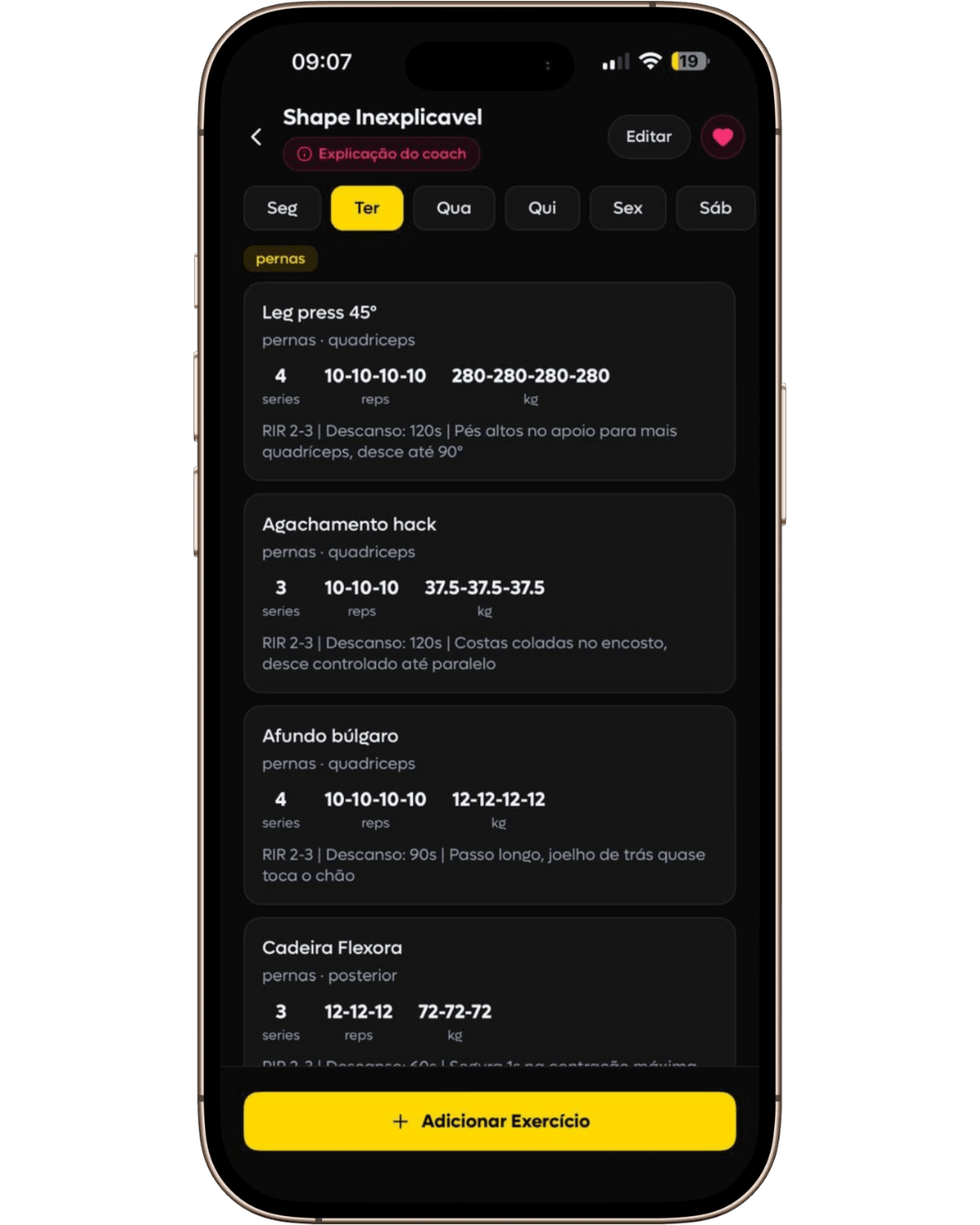
    Load and reps logged by set

    SelfShapeAI daily plan with exercises, sets, repetitions, loads, RIR and execution guidance.
  3. Intelligent training

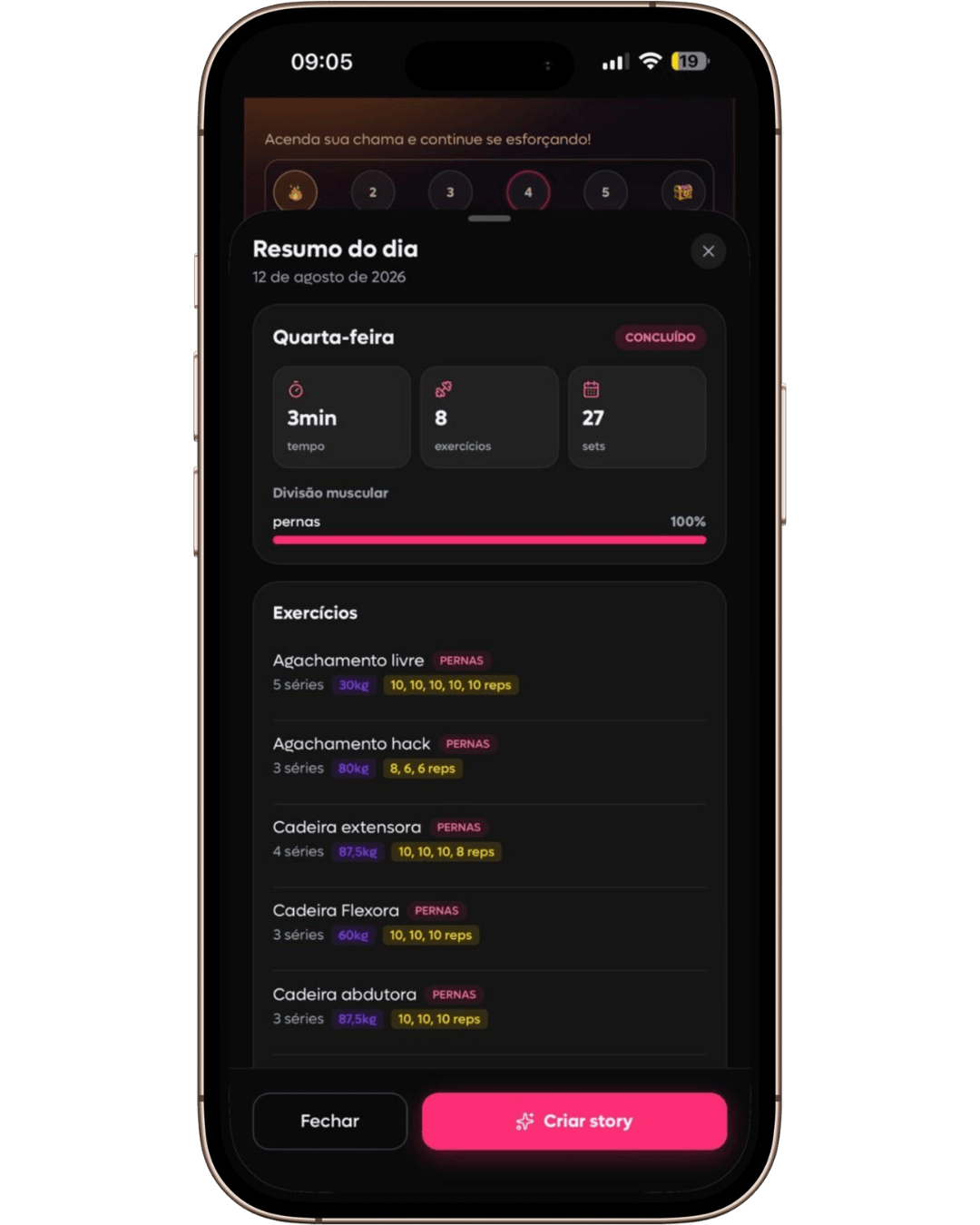
    Completion connected to your history

    Summary of a completed SelfShapeAI session with duration, exercises, sets and logged loads.
  4. Progress and continuity

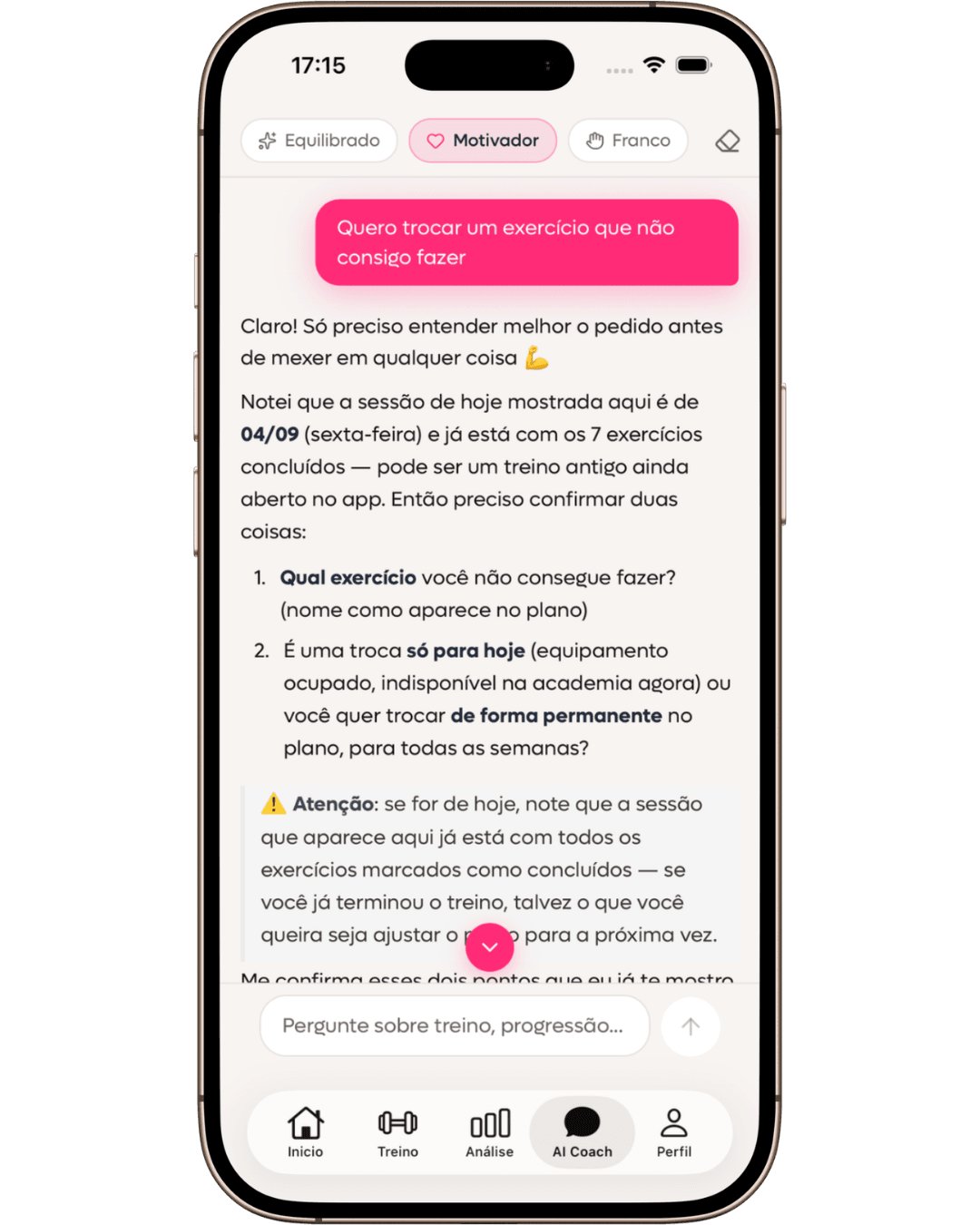
    Questions answered in training context

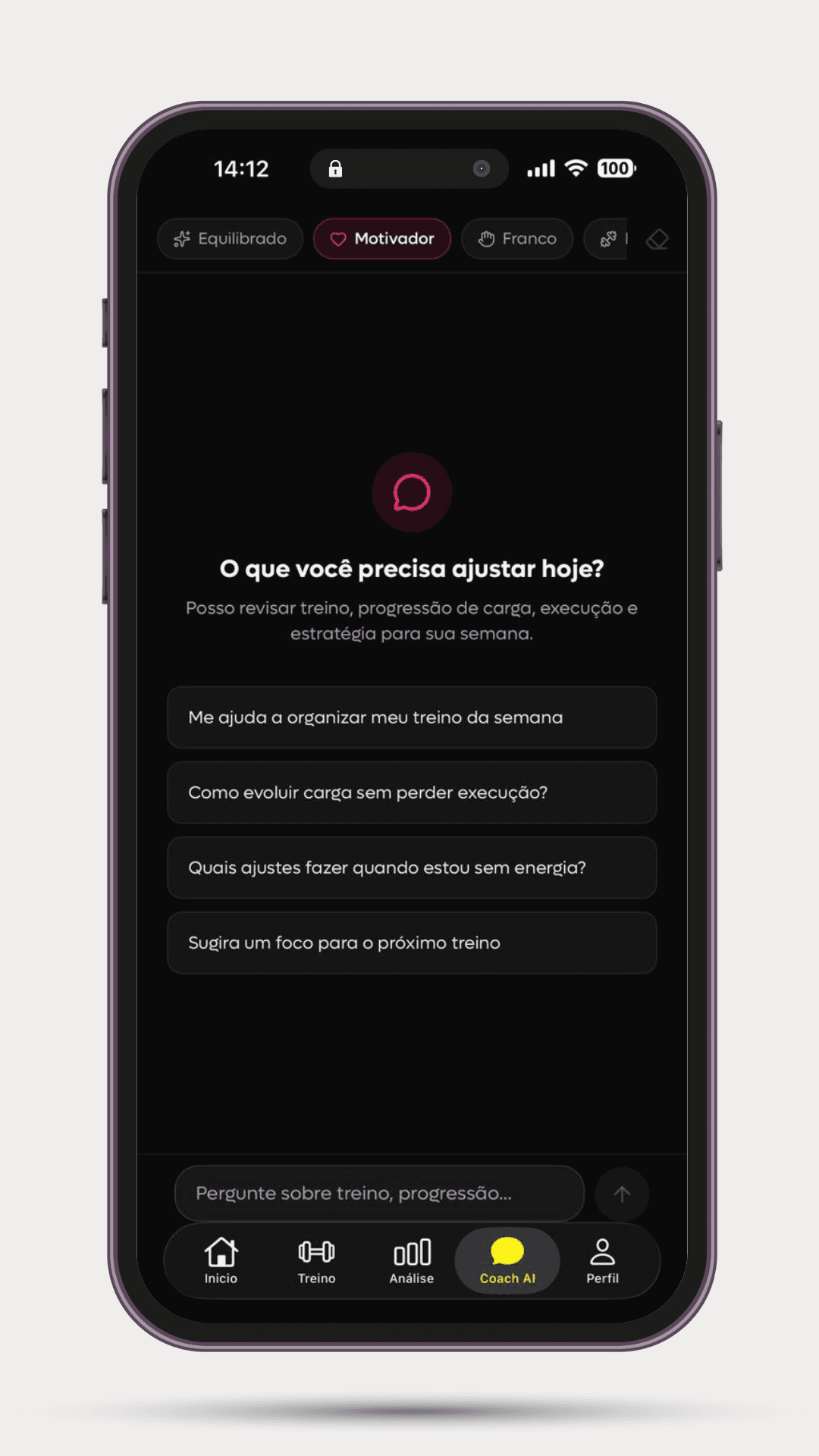
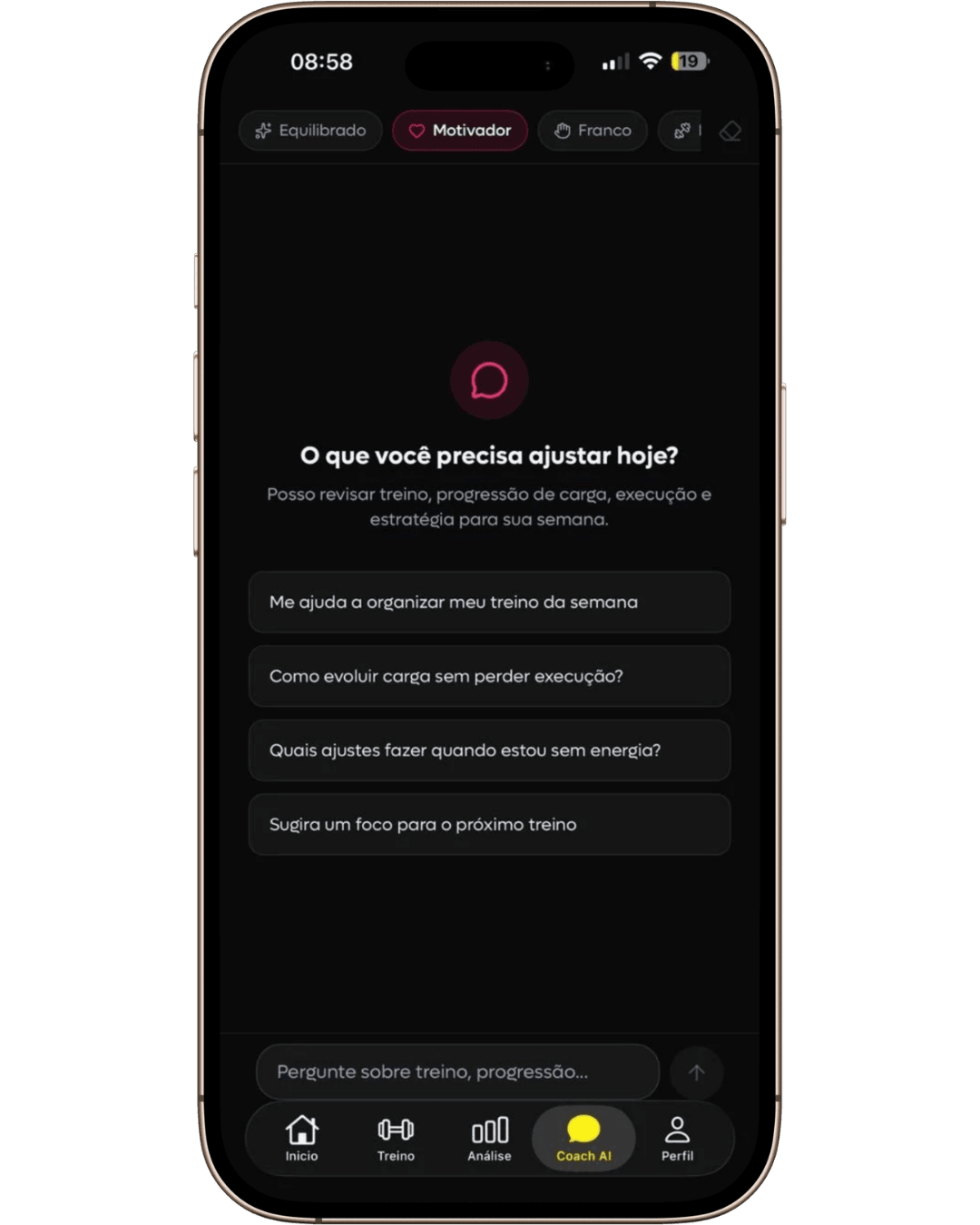
    Conversation with SelfShapeAI AI Coach suggesting adjustments for a low-energy day based on training history.
  5. Progress and continuity

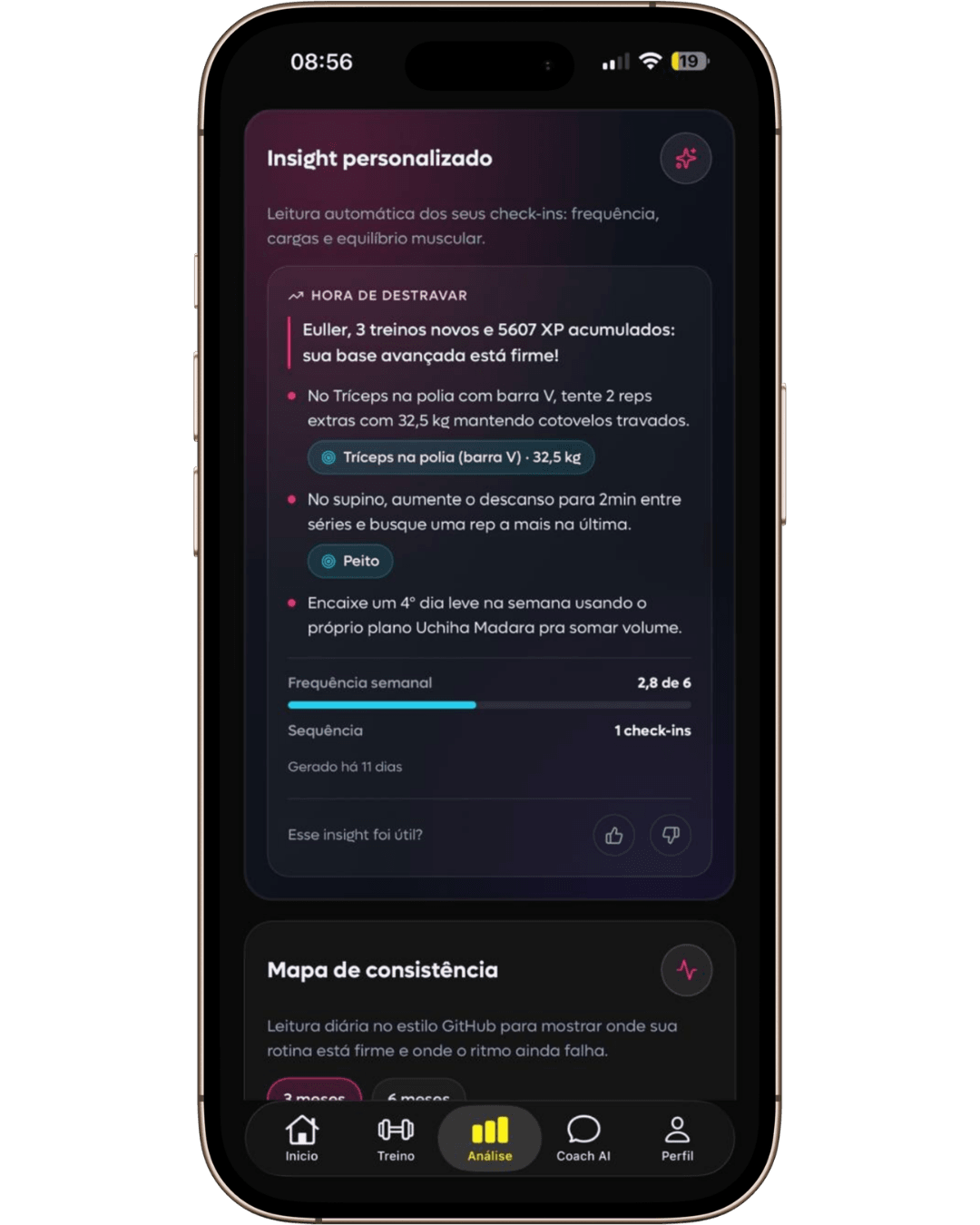
    Adjustments for limits, focus, or recovery

    SelfShapeAI personalized insight with load, rest and frequency recommendations generated from check-ins.
  6. Progress and continuity

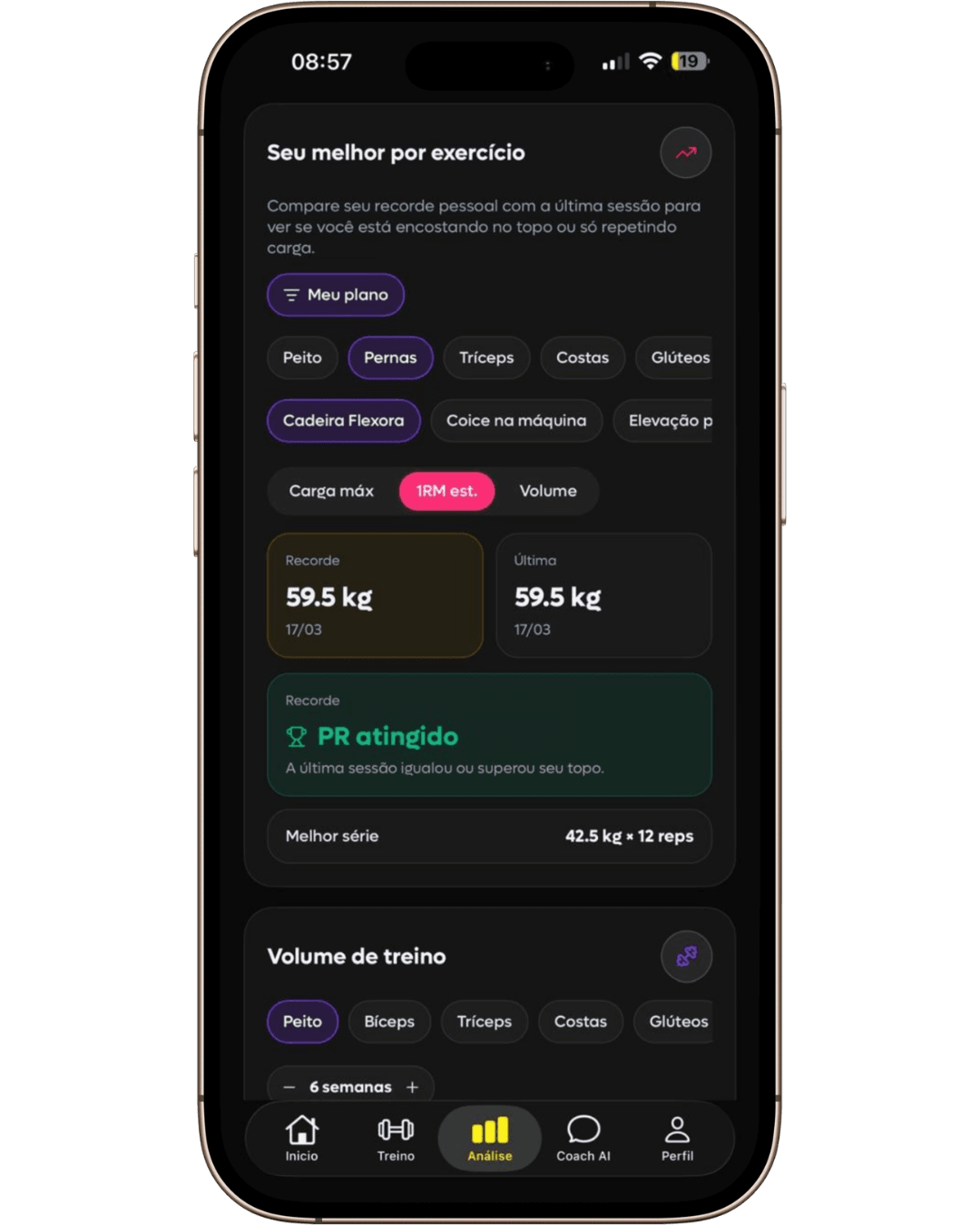
    Training and progress analysis

    Personal-record analysis in SelfShapeAI comparing the best result with the most recent session.
  7. Progress that stays

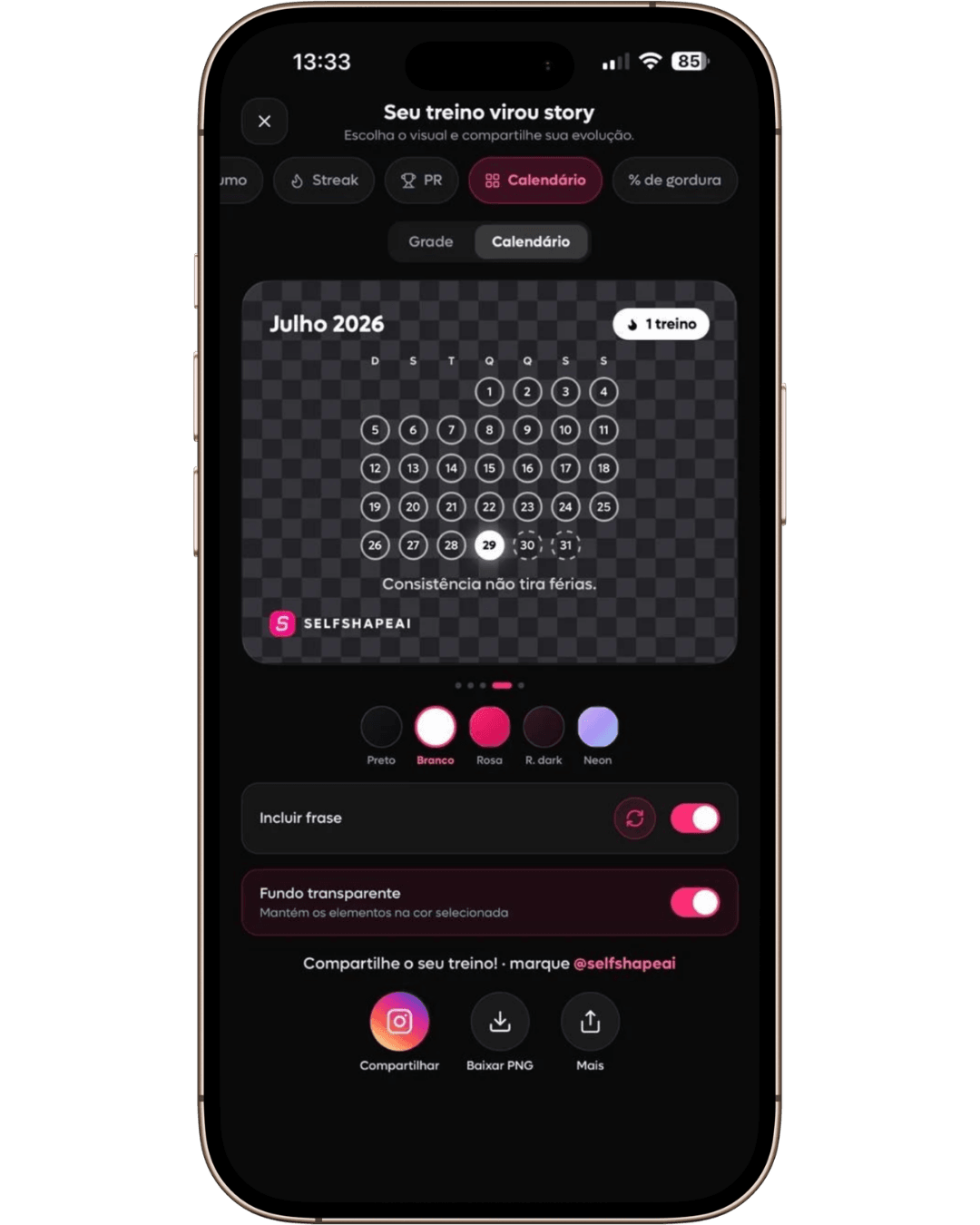
    Session summary, streak, PR, and calendar

    SelfShapeAI Story Studio configuring a calendar mask for sharing a workout.
  8. Progress that stays

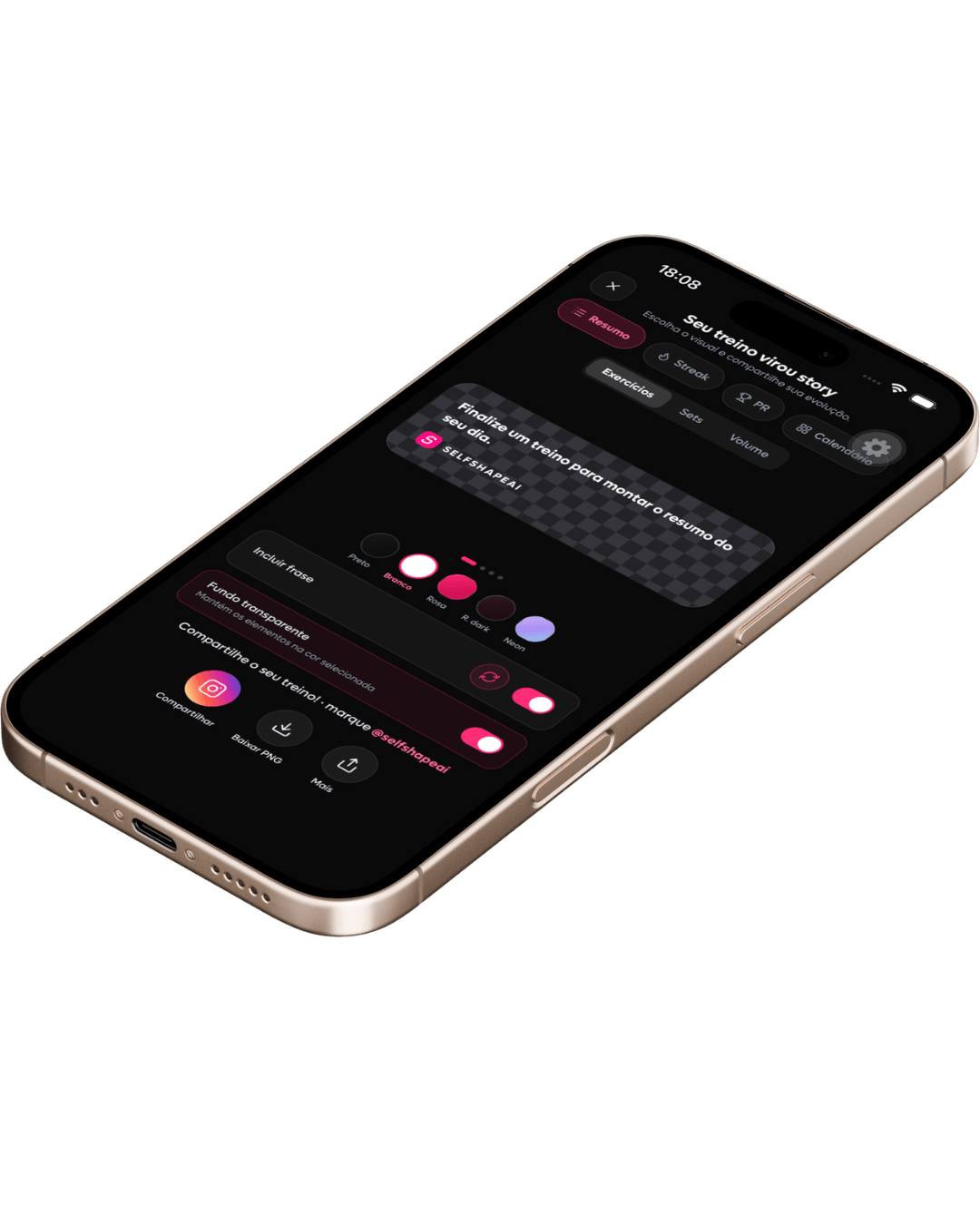
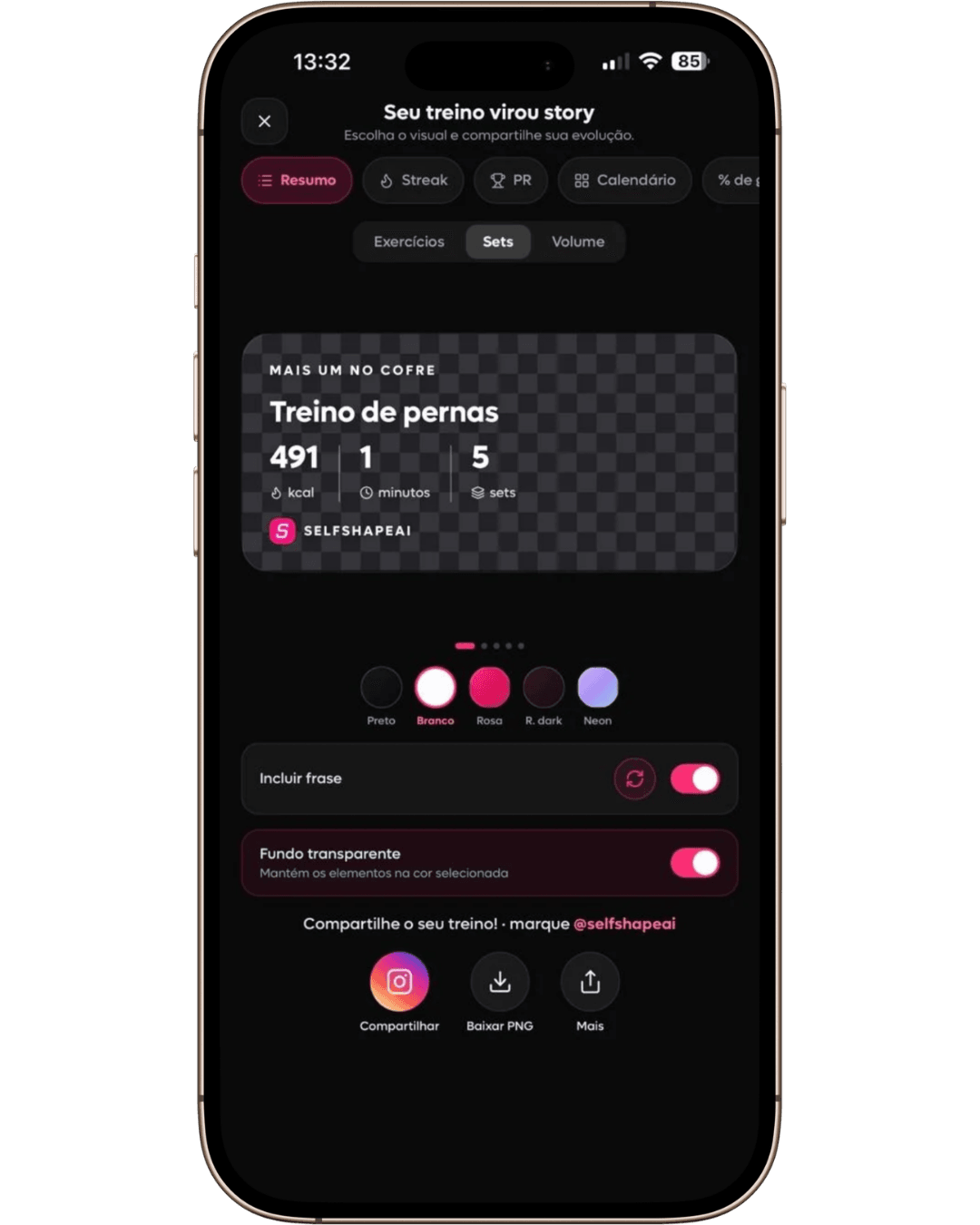
    Customizable colors and phrases

    SelfShapeAI Story Studio customizing a workout summary with sets, colors and a phrase before sharing.
  9. Progress that stays

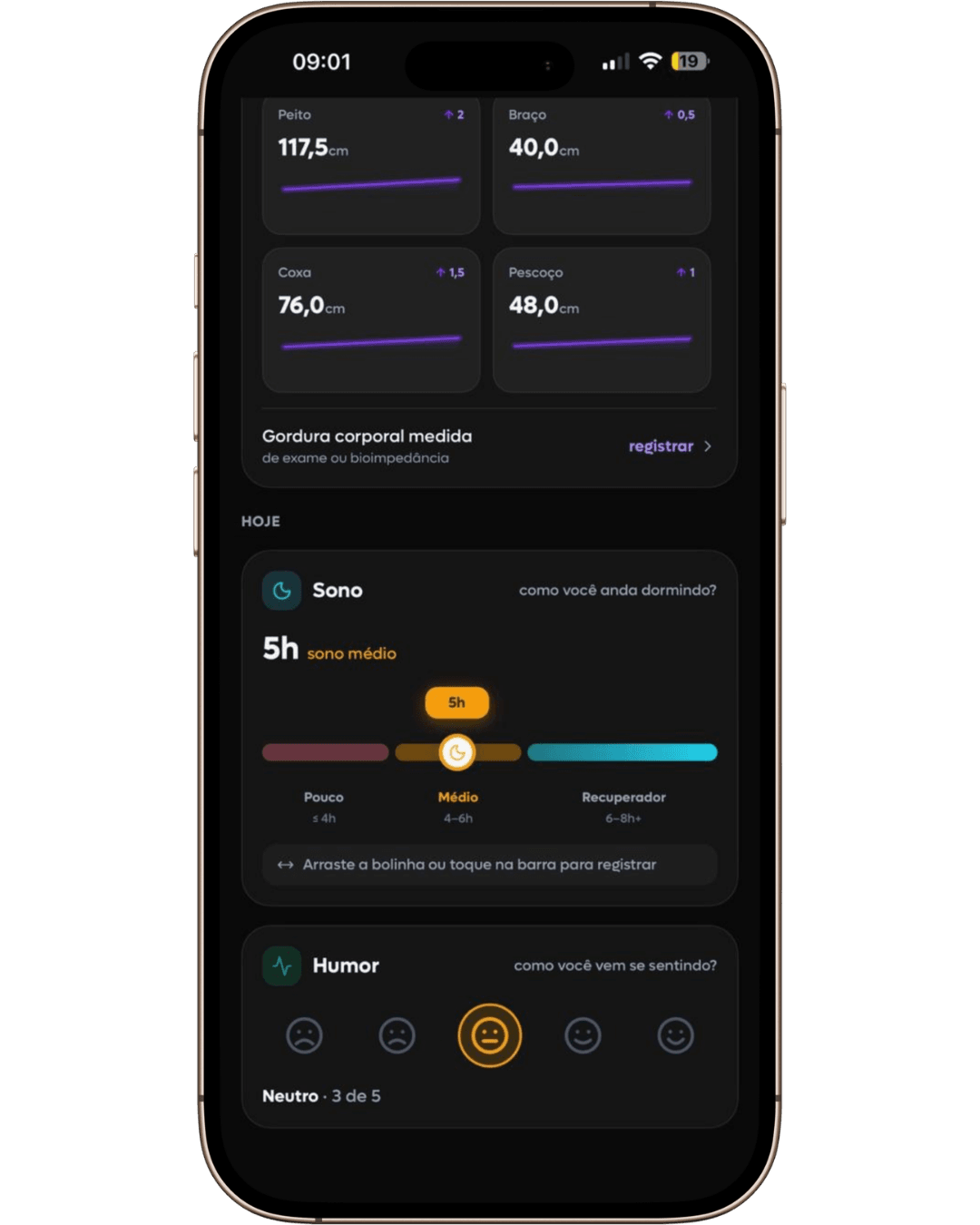
    Weight and measurements in a continuous view

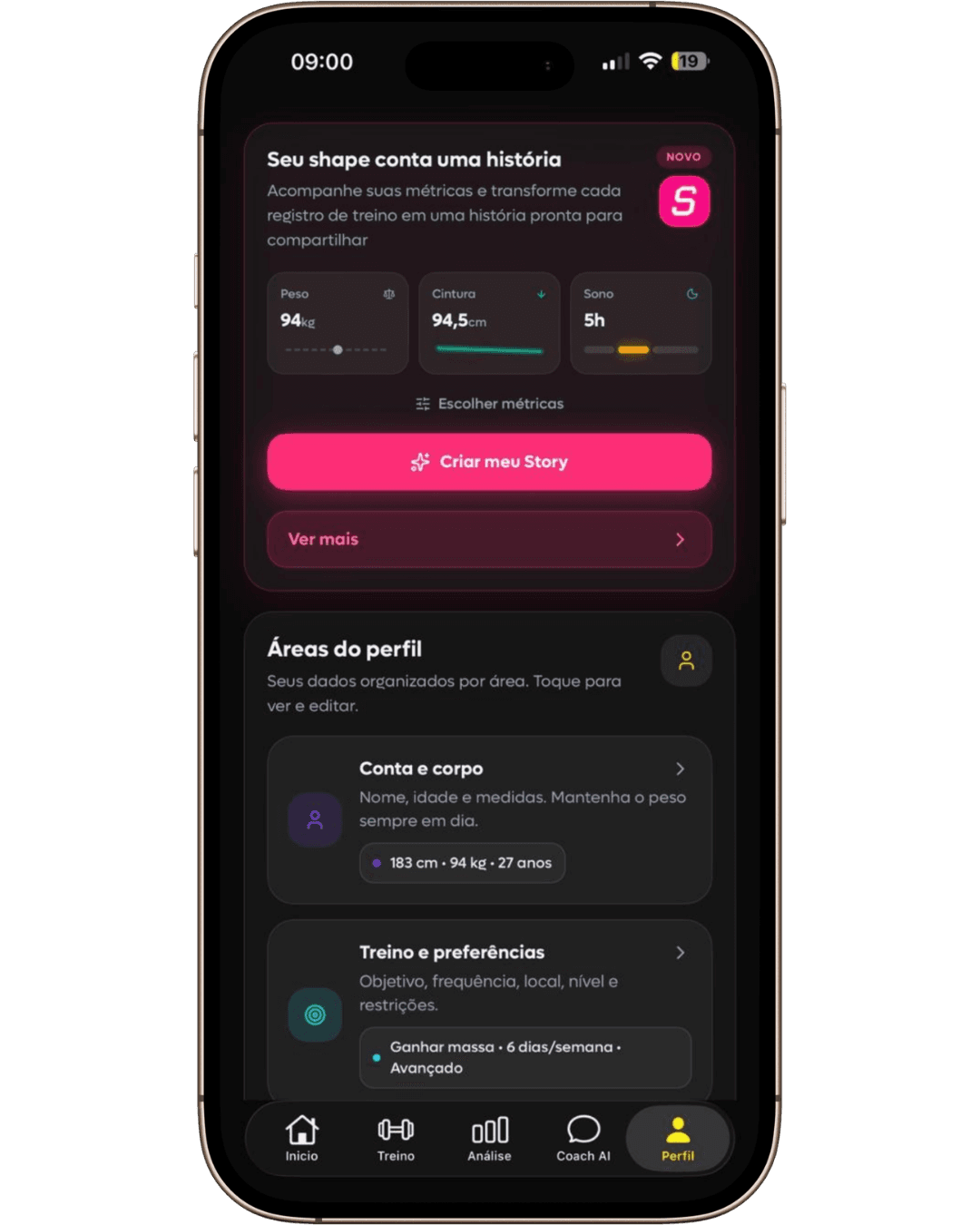
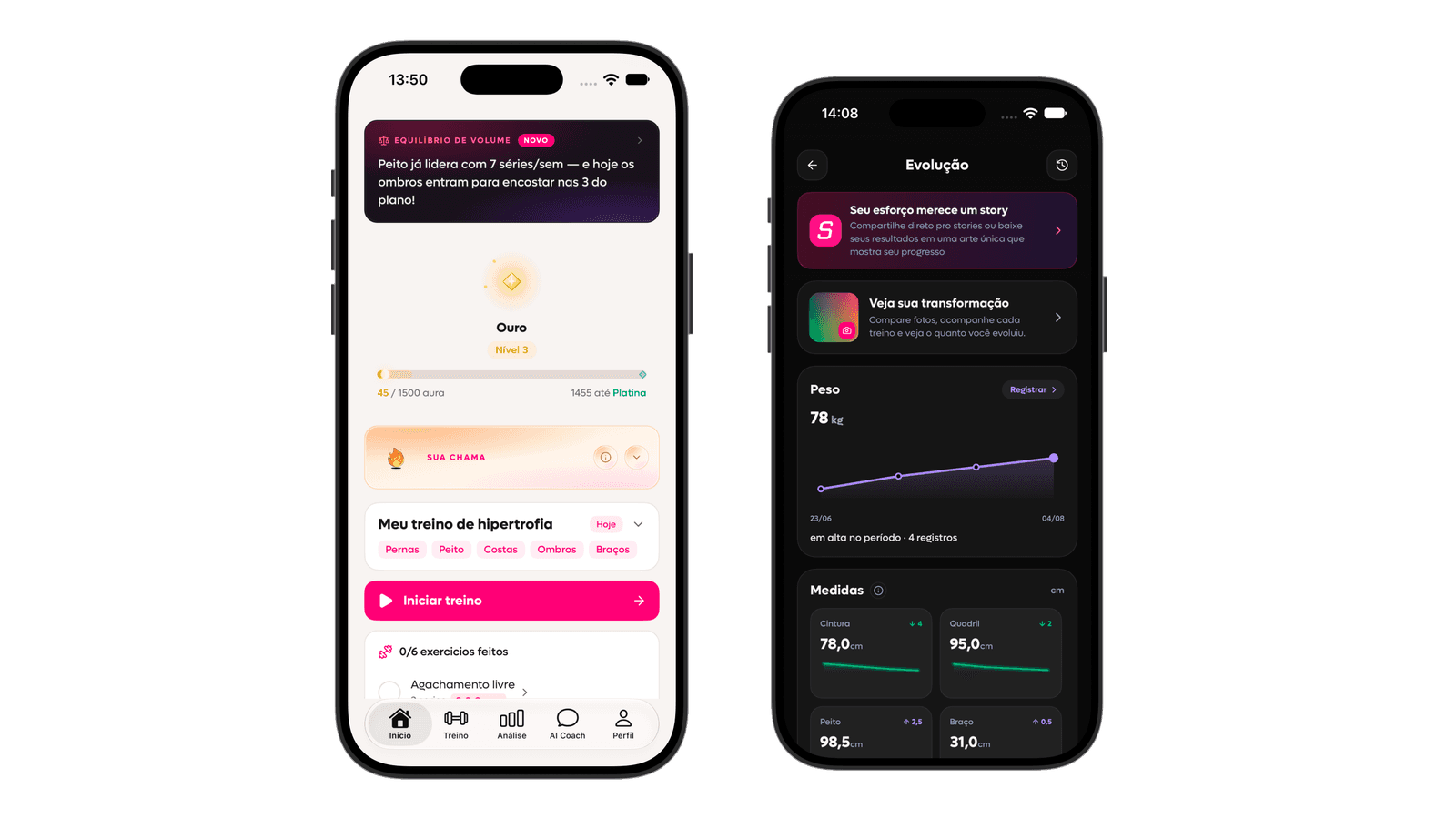
    Body progress in SelfShapeAI with logged measurements, sleep and mood.
View feature details

01 · Intelligent training

From your context to today's workout, without losing the thread

Enter the session knowing what to do, log each set, and finish with a clearer next step.

Train set by set, without losing the thread

Exercise, guidance, load, reps, and rest stay together during the session, so you can focus on what you are doing now.

  • Exercise and guidance on the same screen
  • Load and reps logged by set
  • Rest built into the session flow

Finish the session and keep moving

Log load, reps, effort, and notes. When you finish, what you did stops depending on memory and starts building your history.

  • Load, reps, and notes in one log
  • Completion connected to your history
  • A clearer next step

Screens demonstrated

  • SelfShapeAI live session with exercise video, load and repetitions for each set, and an active rest timer.
  • SelfShapeAI daily plan with exercises, sets, repetitions, loads, RIR and execution guidance.
  • Summary of a completed SelfShapeAI session with duration, exercises, sets and logged loads.

02 · Progress and continuity

Understand what changed and keep moving with clarity

Follow each session, use AI Coach to interpret the context, and keep your progress connected to what you actually did.

AI guidance

Ask about execution, technique, exercise swaps, and progression. Answers consider your history and training context.

  • Questions answered in training context
  • Adjustments for limits, focus, or recovery
  • Practical guidance between sessions

Training progress

Track volume, muscle groups, PRs, streaks, and execution patterns to understand how your training is moving forward.

  • Training and progress analysis
  • Muscle map and load by exercise
  • Clear signals for routine adjustments

Screens demonstrated

  • Conversation with SelfShapeAI AI Coach suggesting adjustments for a low-energy day based on training history.
  • SelfShapeAI personalized insight with load, rest and frequency recommendations generated from check-ins.
  • Personal-record analysis in SelfShapeAI comparing the best result with the most recent session.

03 · Progress that stays

Your shape tells a story

Weight, measurements, photos, and daily records help you see changes that a single session cannot show.

Turn progress into a visual memory

After training, build a story with real data from your session, streak, personal record, or calendar. Customize the artwork, download it, and share your progress.

  • Session summary, streak, PR, and calendar
  • Customizable colors and phrases
  • Artwork ready to download and share

See how you change over time

Organize weight, measurements, and photos in a timeline. You can also log sleep and mood to revisit each phase with more context.

  • Weight and measurements in a continuous view
  • Photos linked to training days
  • Sleep and mood logged for your own review

Screens demonstrated

  • SelfShapeAI Story Studio configuring a calendar mask for sharing a workout.
  • SelfShapeAI Story Studio customizing a workout summary with sets, colors and a phrase before sharing.
  • Body progress in SelfShapeAI with logged measurements, sleep and mood.

Your next step

5.0 on the App Store

Open the app and find today's workout

Download on iPhone and share how your routine works. SelfShapeAI organizes what comes next and follows the session through the final log.

Download on the App StoreQR code to download SelfShapeAI

Point your camera or tap to open SelfShapeAI directly on the App Store.

Open in browser

Train with context or follow clients with more clarity

The experience adapts to those doing the training and those organizing professional follow-up.

SelfShapeAI App

For personal use

Log workouts, organize your routine with AI, track progress, and use AI Coach to keep moving without improvising.

SelfShapeAI profile screen tracking weight, waist and sleep over time

SelfShapeAI for trainers

For personal trainers and coaches

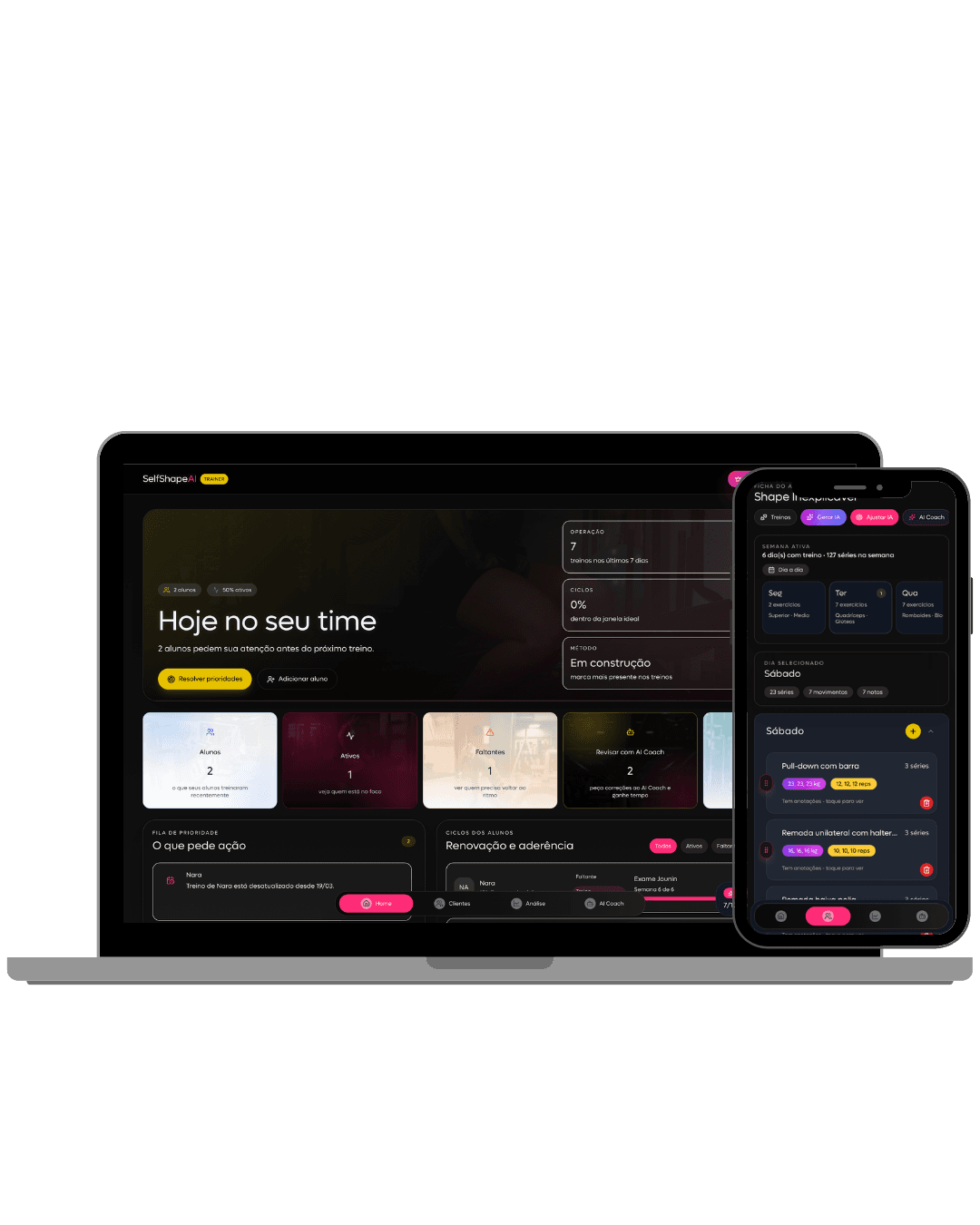
Build, assign, and review training plans, follow client adherence, and make decisions with more context.

SelfShapeAI Personal account home screen
  • Organize clients, plans, and phases in one flow.
  • Track adherence before a client stalls.
  • Use contextual AI to support training reviews and next decisions.
Explore the Personal account

Recent articles

Read about intelligent training, consistency, AI, and how to use SelfShapeAI day to day.

Open blog →
Frequently asked questions

Everything you need to know to start with SelfShapeAI

If you still have a question, talk to the SelfShapeAI team through in-app chat or write to contato@selfshapeai.com.

You share your goal, experience, weekly frequency, available equipment, and how your routine works. SelfShapeAI organizes that context and shows you a clear workout to begin.

You can review and edit it before training. Your starting point comes from your routine, not a generic template.

Today's workout brings exercises, sets, reps, rest, and guidance together, so you know what to do without switching screens all the time.

During the session, you log load, effort, and notes, ask AI Coach for help, and resume from the last exercise if you need to stop.

What you did becomes part of your history and feeds views of volume, muscle groups, load by exercise, personal records, and consistency.

That makes it easier to see what moved forward and arrive at the next session with more context for what to keep or adjust.

Yes. If you interrupt a session, SelfShapeAI lets you resume from the last exercise and keeps what you already logged.

Your history stays connected, so returning does not mean rebuilding everything from memory.

After a session, choose a summary, streak, PR, or calendar and customize the visual with colors and a caption.

Download the finished visual or share your progress across networks and communities.

Your next workout can already have more direction

Download SelfShapeAI on iPhone and turn your routine into clear training that stays connected from the first exercise to the final log.

5.0 on the App StoreTraining, logging, and progress connected

Download SelfShapeAI on iPhone

QR code to download SelfShapeAI

Point your camera or tap to open SelfShapeAI directly on the App Store.