How to use SelfShapeAI: from your first plan to training progress
Build your plan, follow each set and log how the workout actually went. An updated iPhone app guide with light- and dark-mode screens.

If you are arriving at SelfShapeAI now, the best way to get the most out of the app is not clicking everything at once. It is following a simple order. When you understand where to start and what to do at each stage, the experience gets lighter, training gets clearer and the AI starts making much more sense in your daily life.
In SelfShapeAI, the proposal is not just writing down workouts. The proposal is using context, plan, check-ins, the AI Coach and training analysis to turn your routine into a more intelligent process. If you want to understand the thesis behind it before diving into the tutorial, also visit Intelligent AI-powered training.
This guide follows the current iPhone experience. Screens were captured in the simulator with a demonstration account in light and dark themes. Loads, measurements and histories illustrate usage; they are not prescriptions or promised results.
Contents
- 1. The short answer
- 2. Start with context, not urgency
- 3. Generate or build your first workout
- 4. Understand the plan before executing it
- 5. Adjust training to your circumstances, not your ego
- 6. At the gym: follow the session, one set at a time
- 7. Log your workout with check-in and session context
- 8. Describe your effort: the same plan can feel different
- 9. Use the AI Coach when questions arise, not only when everything stalls
- 10. Open training analysis to read progress objectively
- 11. Use Aura, levels and history to maintain continuity
- 12. Organize different phases with the plan library
- 13. Track your body and keep stories from the journey
- 14. Invite someone to begin with you through Chama Coletiva
- 15. Unsure about a screen? Reopen the in-app guide
- 16. Who this way of using SelfShapeAI makes the most sense for
- 17. Frequently asked questions
The short answer
- Complete your context and profile before generating workouts on impulse.
- Generate or build your first plan and then open the plan's logic to understand what was created.
- Adjust exercises, sets, reps and load to your real moment, instead of following everything on autopilot.
- Log your check-ins and describe how the session went so the app sees context, not just execution.
- Use the AI Coach whenever you need to adapt, understand or decide something with more clarity.
- Open the training analysis to see frequency, progress and sets per week. To see how this connects to the product as a whole, the best companions are AI training and then the features.
Turn understanding into a workout you can follow
SelfShapeAI uses your routine and goal to build an explained plan, log every session and guide the next adjustment.




Download for free. Annual: R$ 299,90/year, equivalent to about R$ 25/month; monthly: R$ 39,90/month. See how AI training works.
Start with context, not urgency
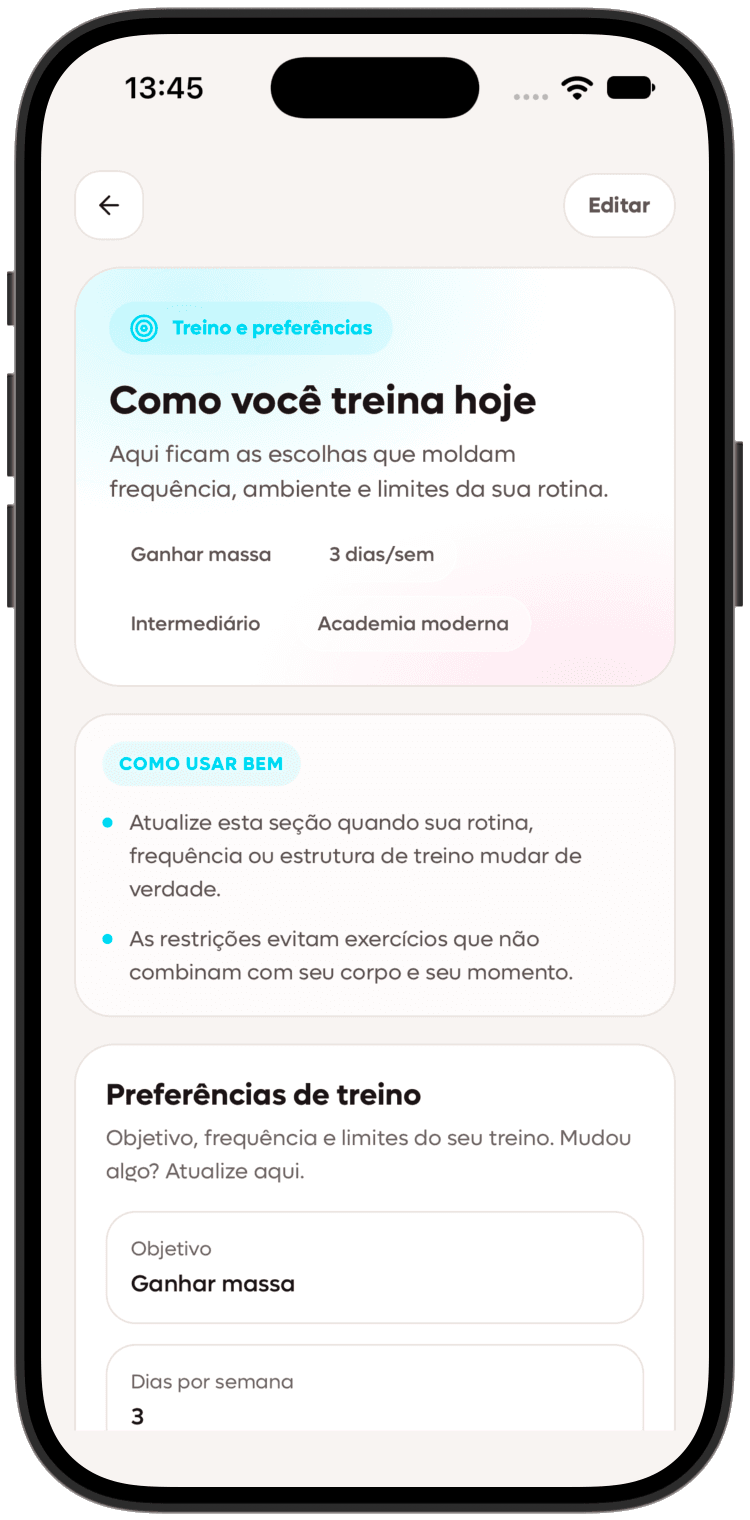
A useful workout starts before the exercise list: goals, routine, realistic frequency, limitations, equipment and current circumstances. SelfShapeAI collects this in Profile. Honest, complete information improves personalization. Do not describe a perfect week when that is not your reality.
That helps a lot both for beginners and for anyone who has trained for a while but lives unstable weeks. If you are still organizing the base of your routine, connect this section with From beginner to results.
Generate or build your first workout
After context comes the most obvious part: creating the workout. SelfShapeAI opens more than one path here. You can use the AI to build an initial structure faster or create a plan manually if you want more control from the start. The goal is not just having a template. The goal is having a starting point that makes sense for your life now.
- Generate a smart plan when you want speed with personalization.
- Update an existing plan when your routine changed.
- Build manually when you want to structure everything from scratch.
- Name different versions of the plan so you do not get lost between phases.
That reasoning gets even stronger when you understand that real frequency is worth more than loose ambition. That is why this guide pairs well with Full body vs. split training and Best workout tracking app in 2026.
Understand the plan before executing it
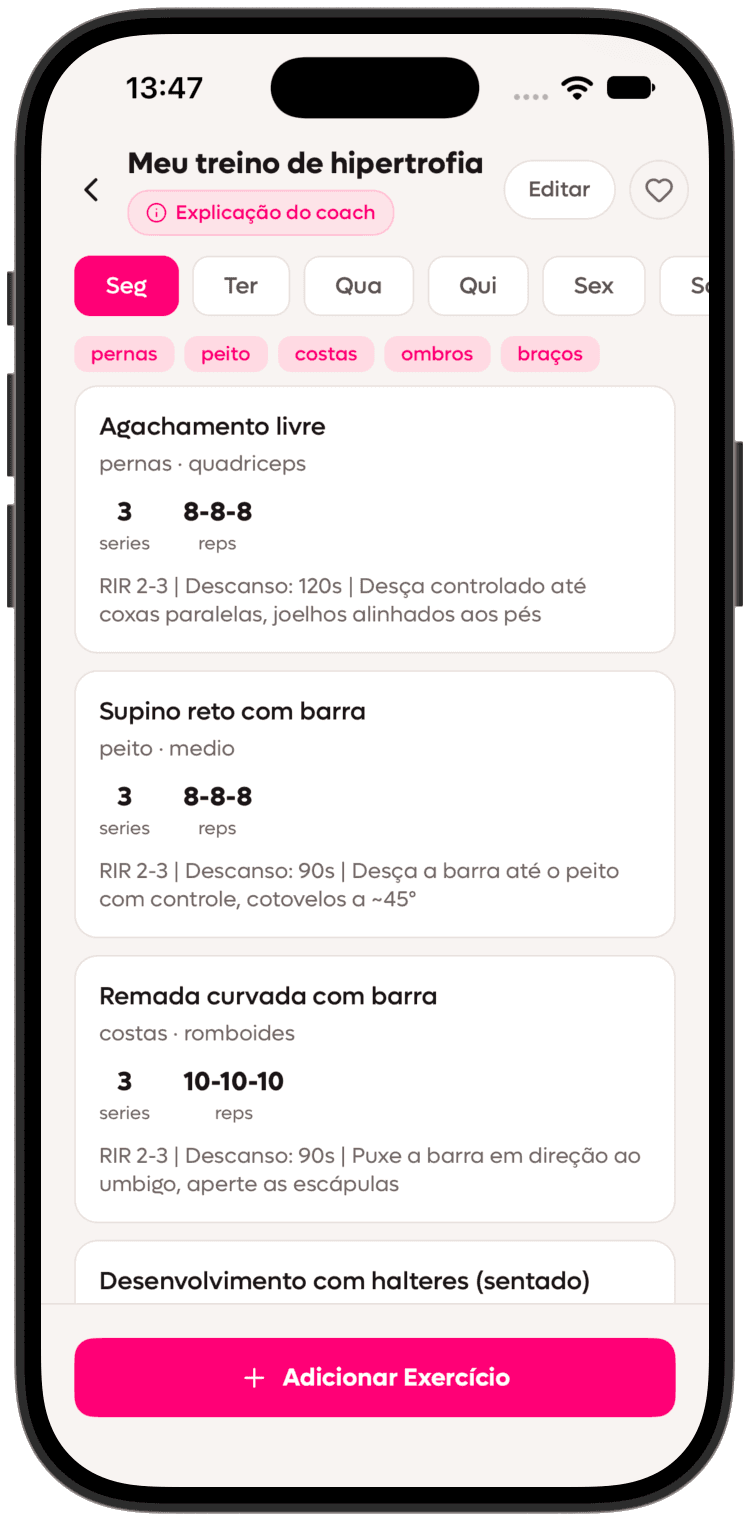
A common mistake is heading to the gym without understanding why the plan was organized that way. Open the coach's explanation in SelfShapeAI to understand the split, each session's focus, what to check beforehand and whether the structure fits your routine.
When you understand the training, it becomes easier to follow it with confidence and adjust it more consciously later. It removes that feeling of merely obeying a spreadsheet. And if something seems off, then it makes sense to bring the question to the AI Coach. This point connects well with the practical RPE and RIR guide, because understanding effort is also part of understanding the plan.
Adjust training to your circumstances, not your ego
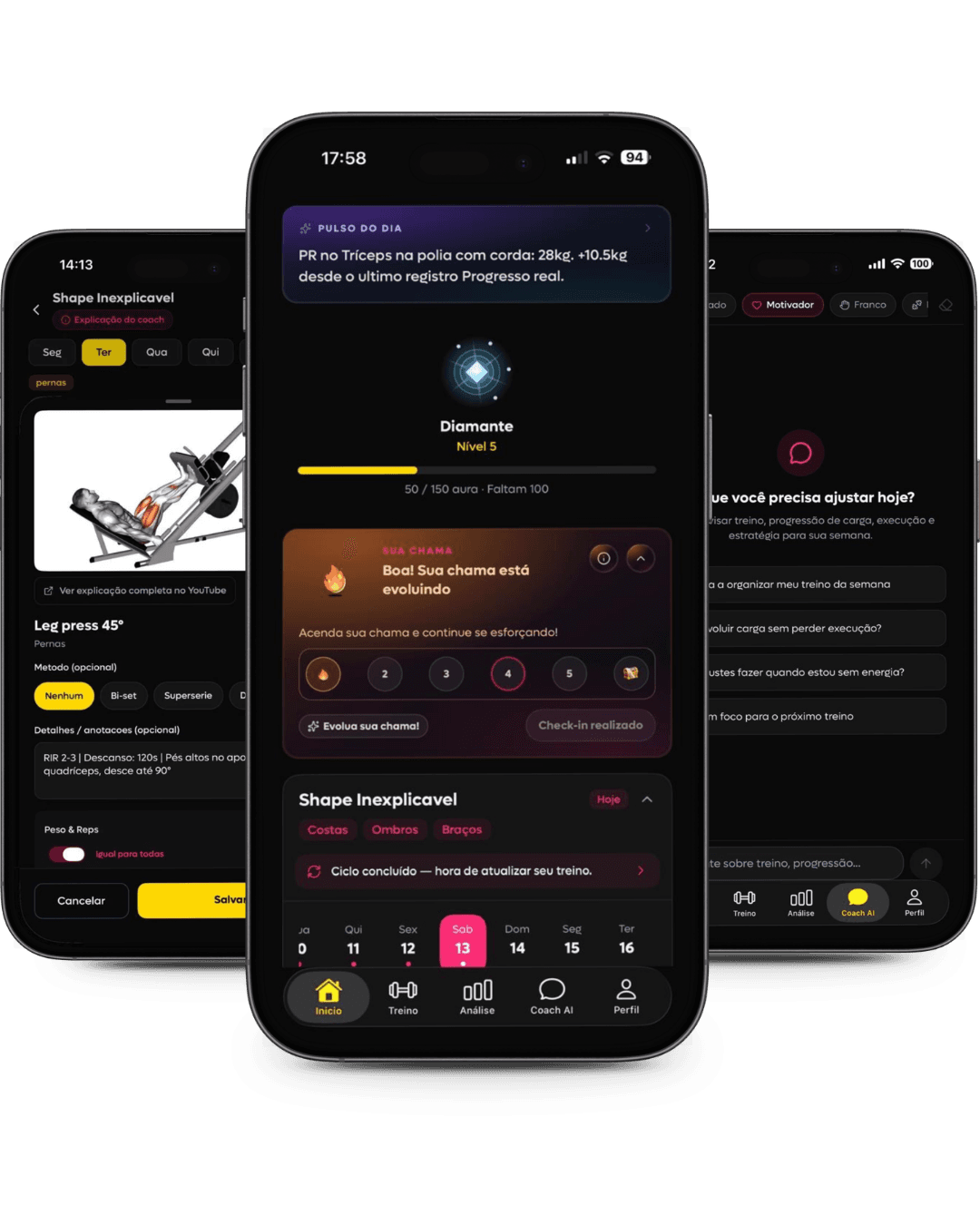
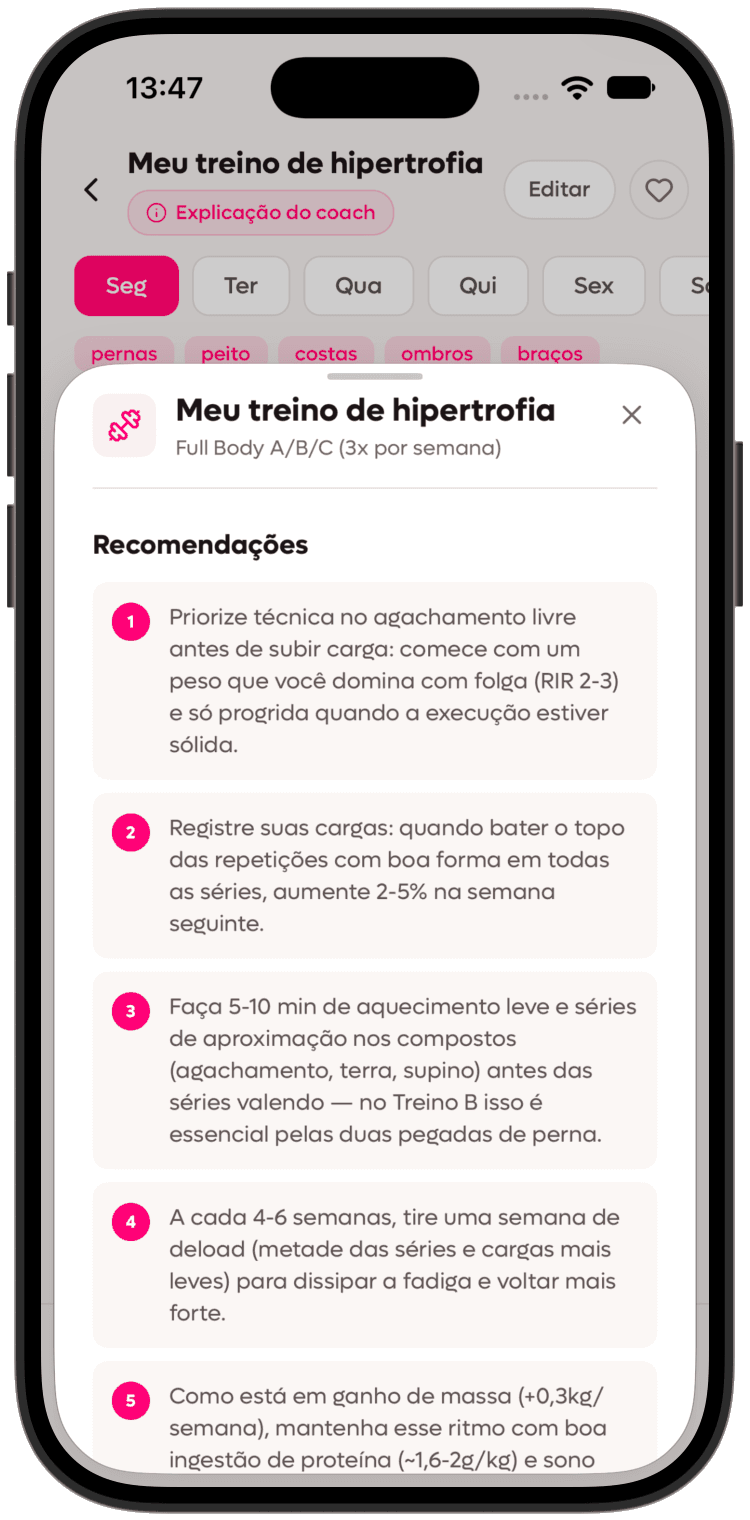
Good training is not rigid training. If the load is too high, if the rep range did not fit, if the exercise is not comfortable or if your session needs a different rhythm, SelfShapeAI lets you adjust that. Inside the app, that practical use appears when you open an exercise, adjust sets, reps and weight, swap the exercise for another option from the library and watch videos to understand the execution better.
This is one of the points where the app stops being passive. It is not there just to store the workout. It helps you polish the workout. And that is decisive for anyone who wants to progress without becoming hostage to improvisation. To go deeper into progression, review Simple progression: when to add weight, How many sets to build muscle and Warm-up sets: how to do them and when to use them.
At the gym: follow the session, one set at a time
From Home, open today's workout and tap Start workout. The session brings exercise video, sets, load and reps together. Pause the video, read the explanation, log the set and move on. A dedicated session screen makes remaining work easier to follow.
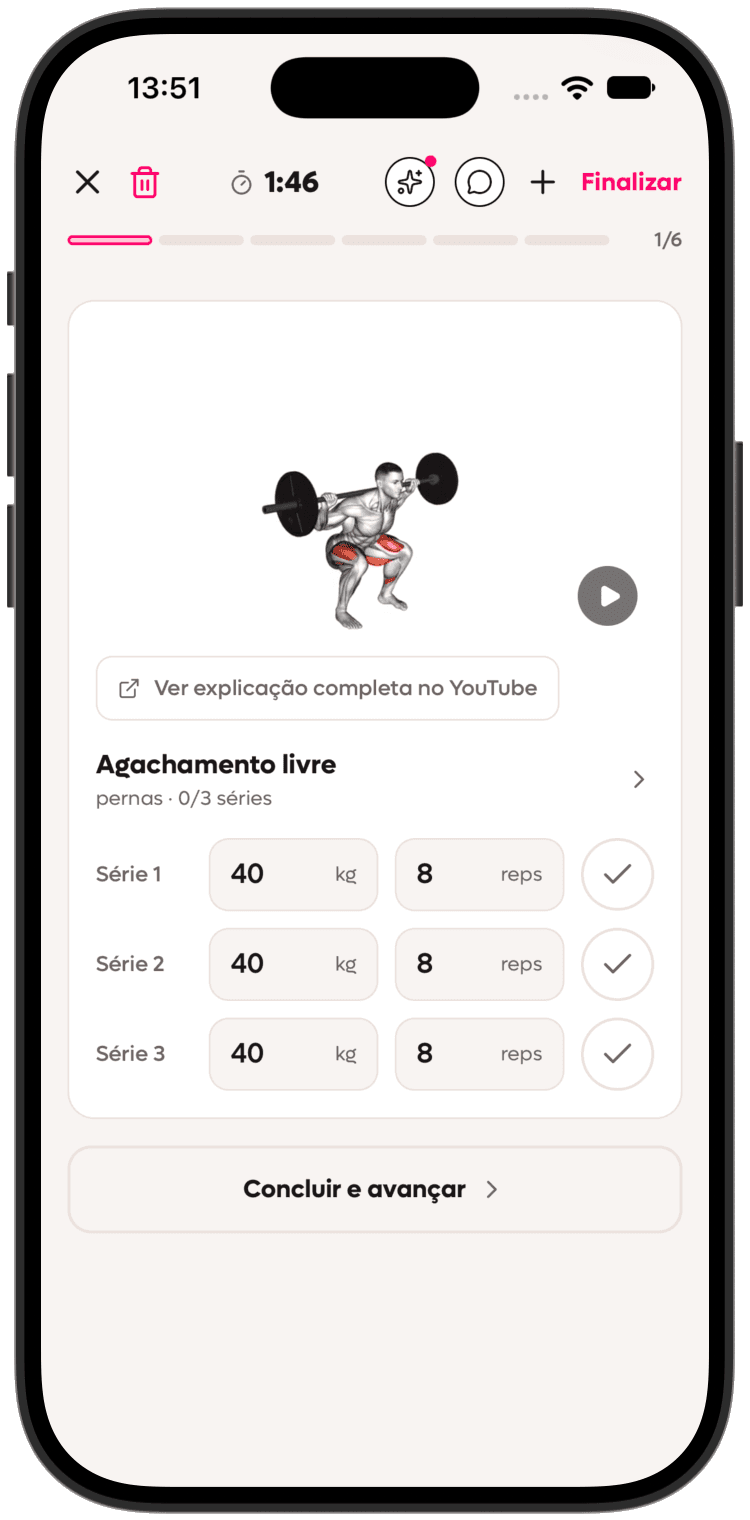
Left the screen? Continue workout resumes at the last exercise. The iPhone Live Activity also helps you follow the session. Keep your planned rest intervals and use execution technique to guide load adjustments.
Log your workout with check-in and session context
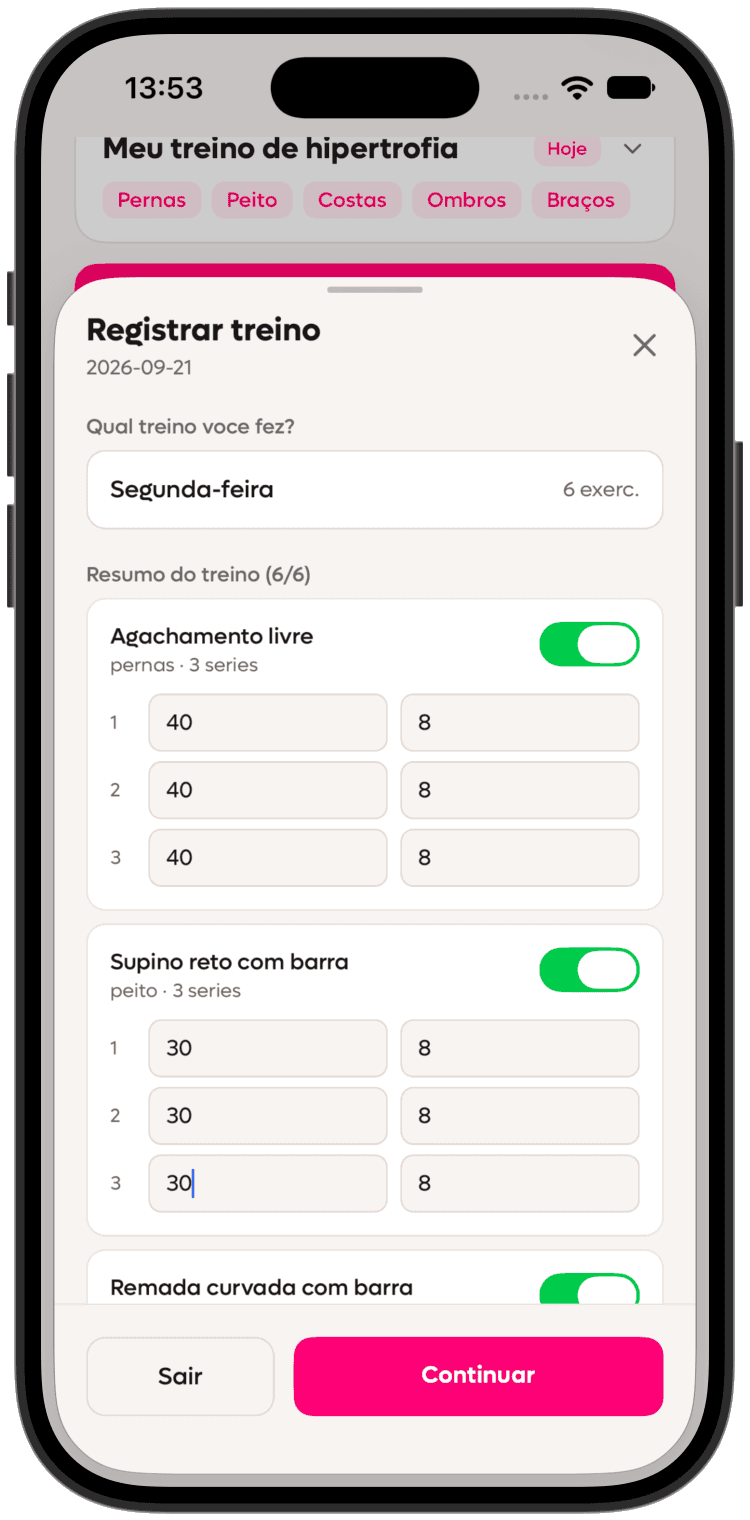
Check-in goes beyond marking a workout complete: it records the session and its context. Open Log workout, check the day, select completed exercises and review each set's load and reps. Optional notes capture changes. If you deviated from the plan, choose which adjustments to carry into future weeks. Tap Continue for the effort question; logging finishes only with the final button.
That context makes a difference because it helps the app leave abstract training and enter real training. When you record that the session was good, stiff, too heavy or scrambled by the routine, that improves the reading of your journey. For anyone who has lived the cycle of restarting several times, this kind of consistency is what finally makes the process stick.
Describe your effort: the same plan can feel different
After review, the app asks how hard the session felt. Drag the slider or tap a score from 1 to 10. This rates the whole session: 1–3 easy, 4–6 moderate, 7–9 hard and 10 maximal. Choose what represents your day rather than trying to make every session a 10.
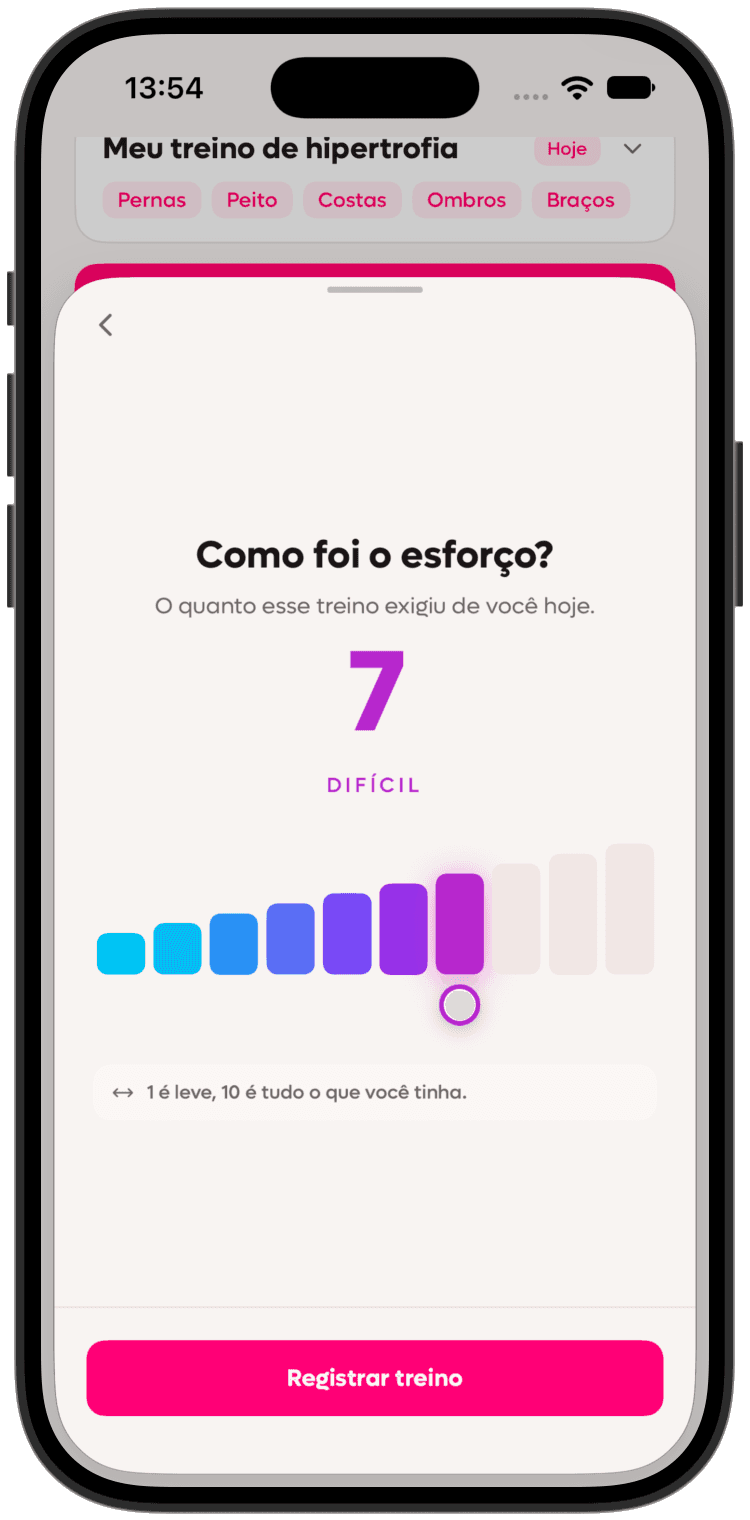
The answer is optional: choose Save without answering if unsure. It is your perception, not a sensor measurement, and does not represent reps remaining in a set. Read the RPE and RIR guide and Training to failure. The aim is a clearer history, interpreting the session alongside loads and reps.
Use the AI Coach when questions arise, not only when everything stalls
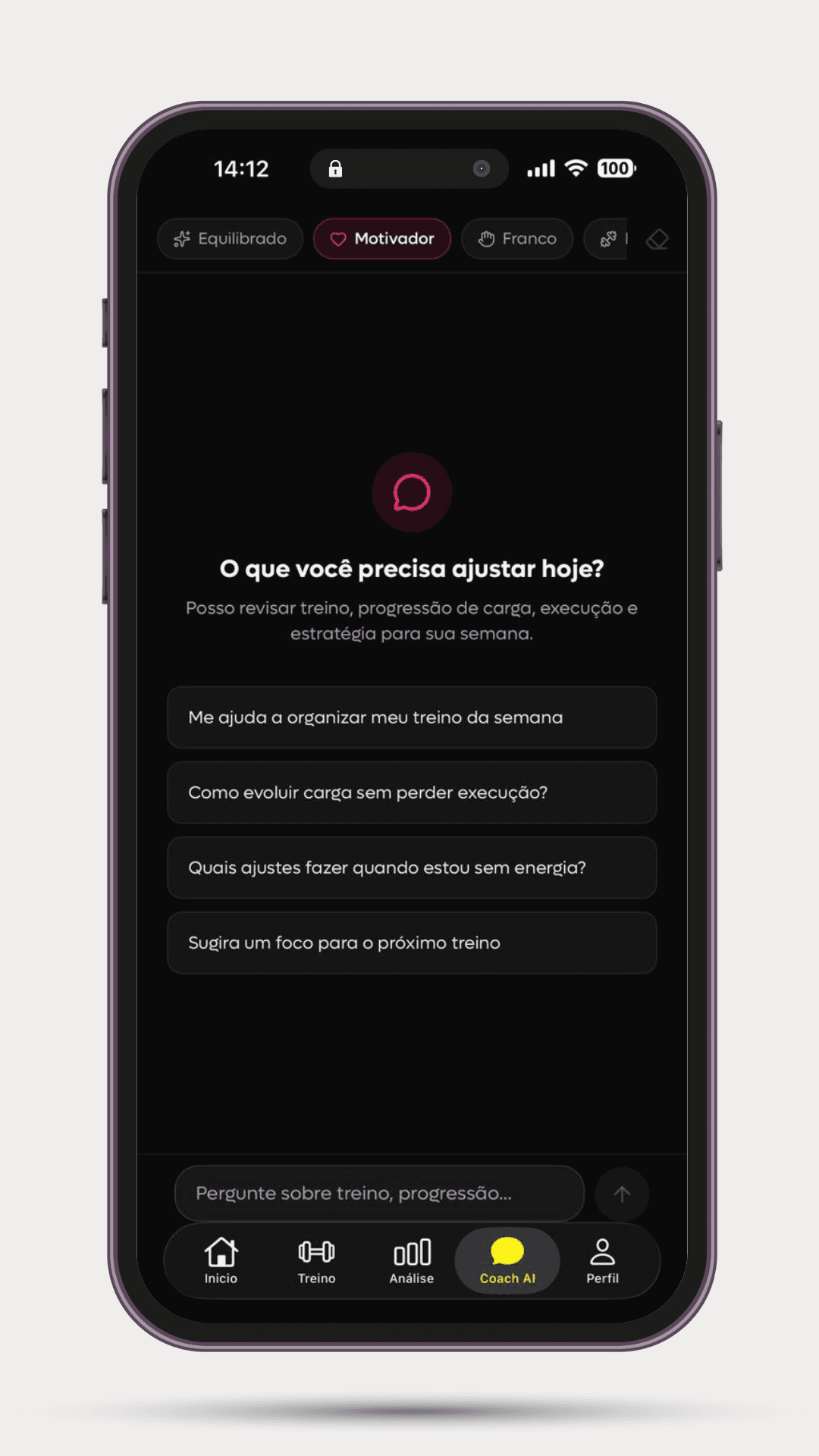
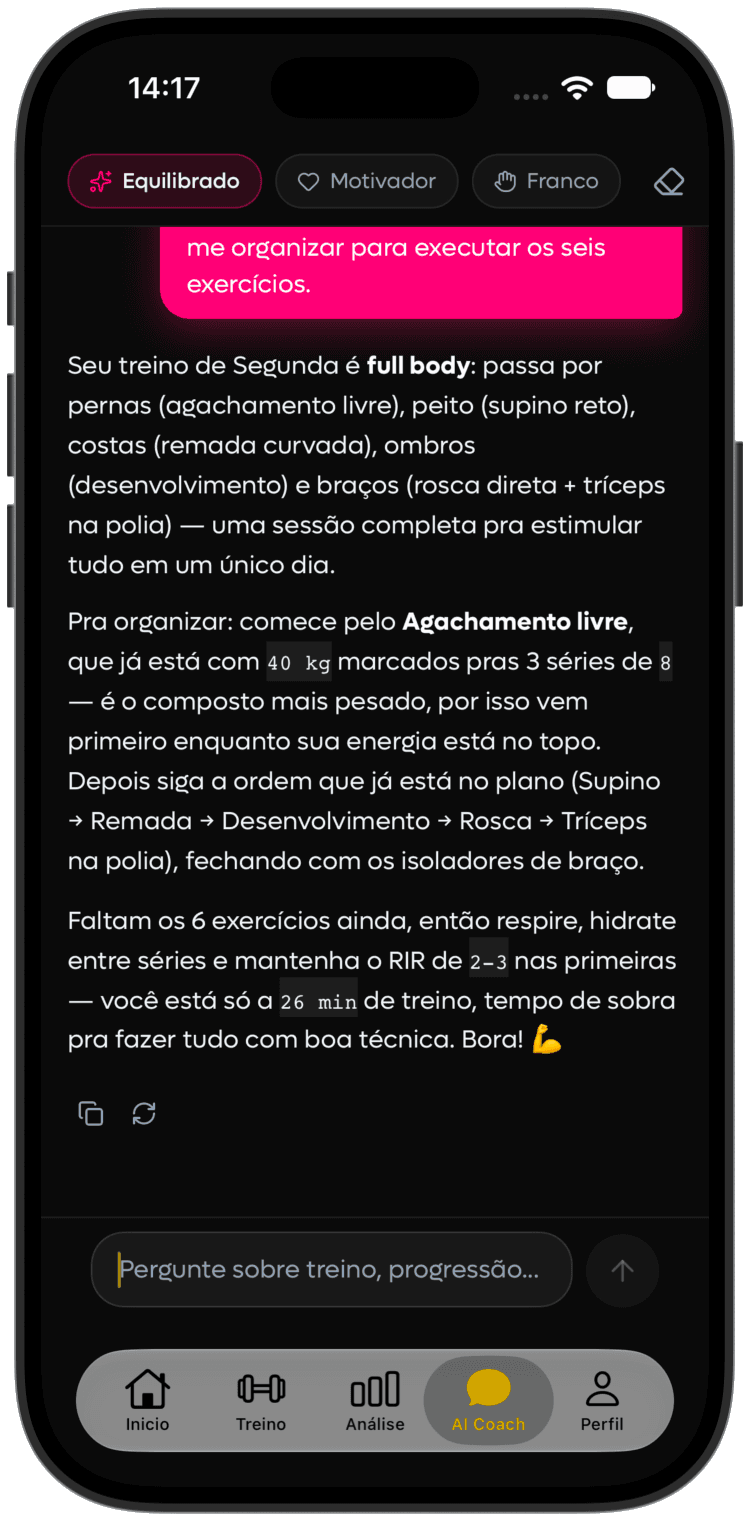
In AI Coach, choose Balanced, Motivating, Direct, Performance or Creative. The coach uses your active plan's context to help explain or adapt training. Ask recurring practical questions: exercise substitutions, technique, appropriate loads, travel, a crowded gym, limited time or the plan's logic before changing it.
That is the difference between using AI as decoration and using AI as support. The app lets you bring context into the conversation. And that greatly improves the quality of the answer. To see this layer in more depth, the best companions remain Intelligent AI-powered training and AI training.
Open training analysis to read progress objectively
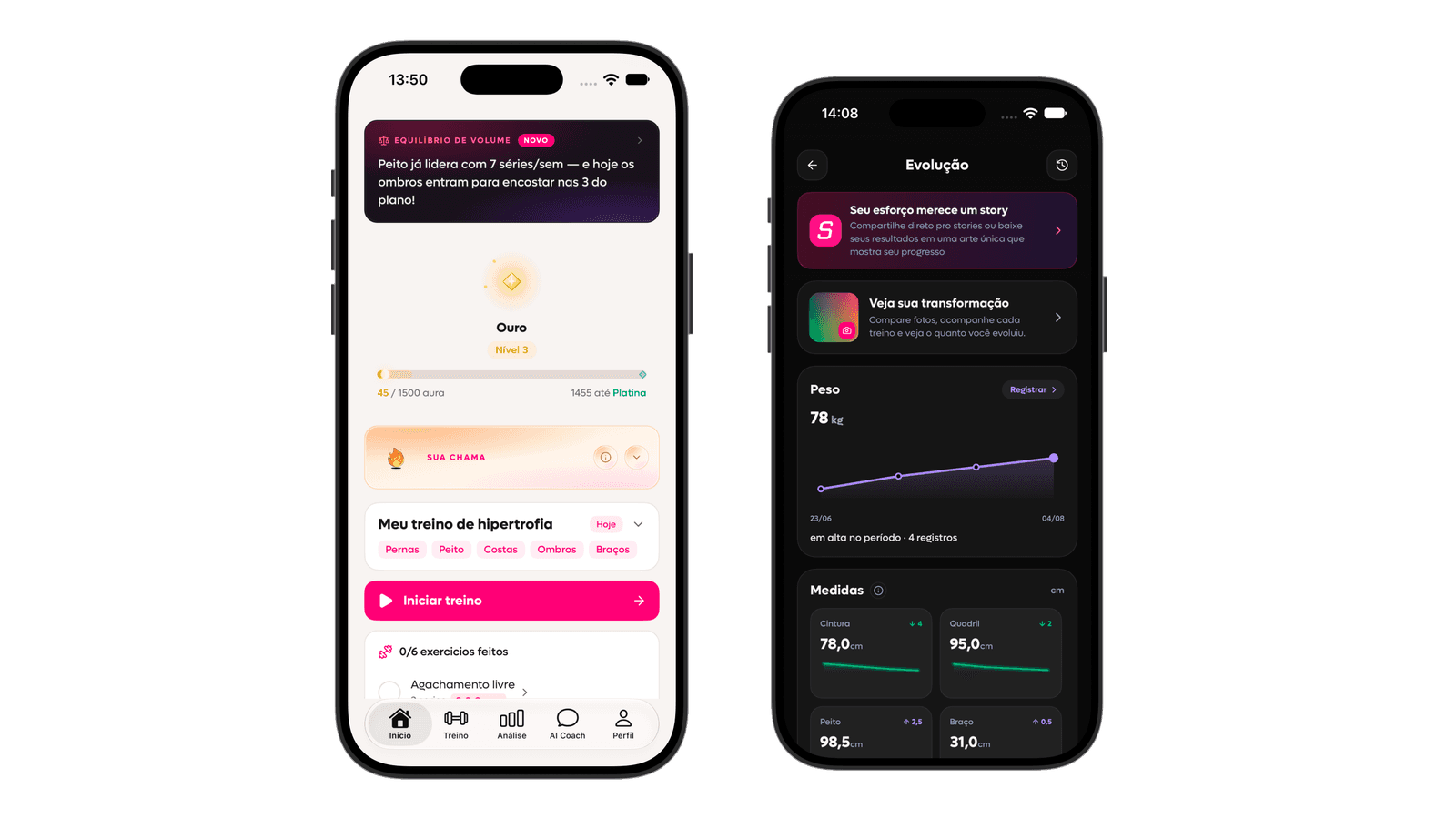
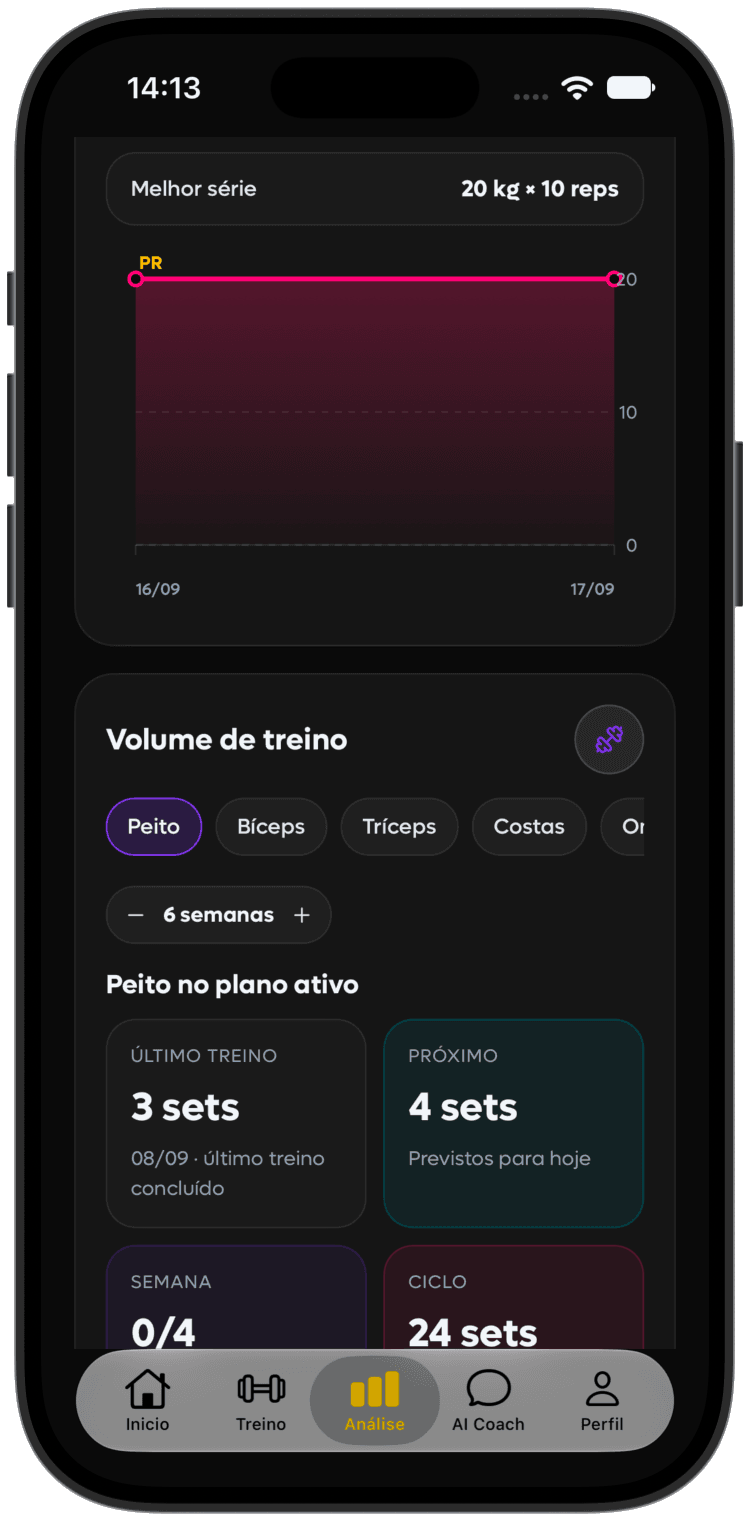
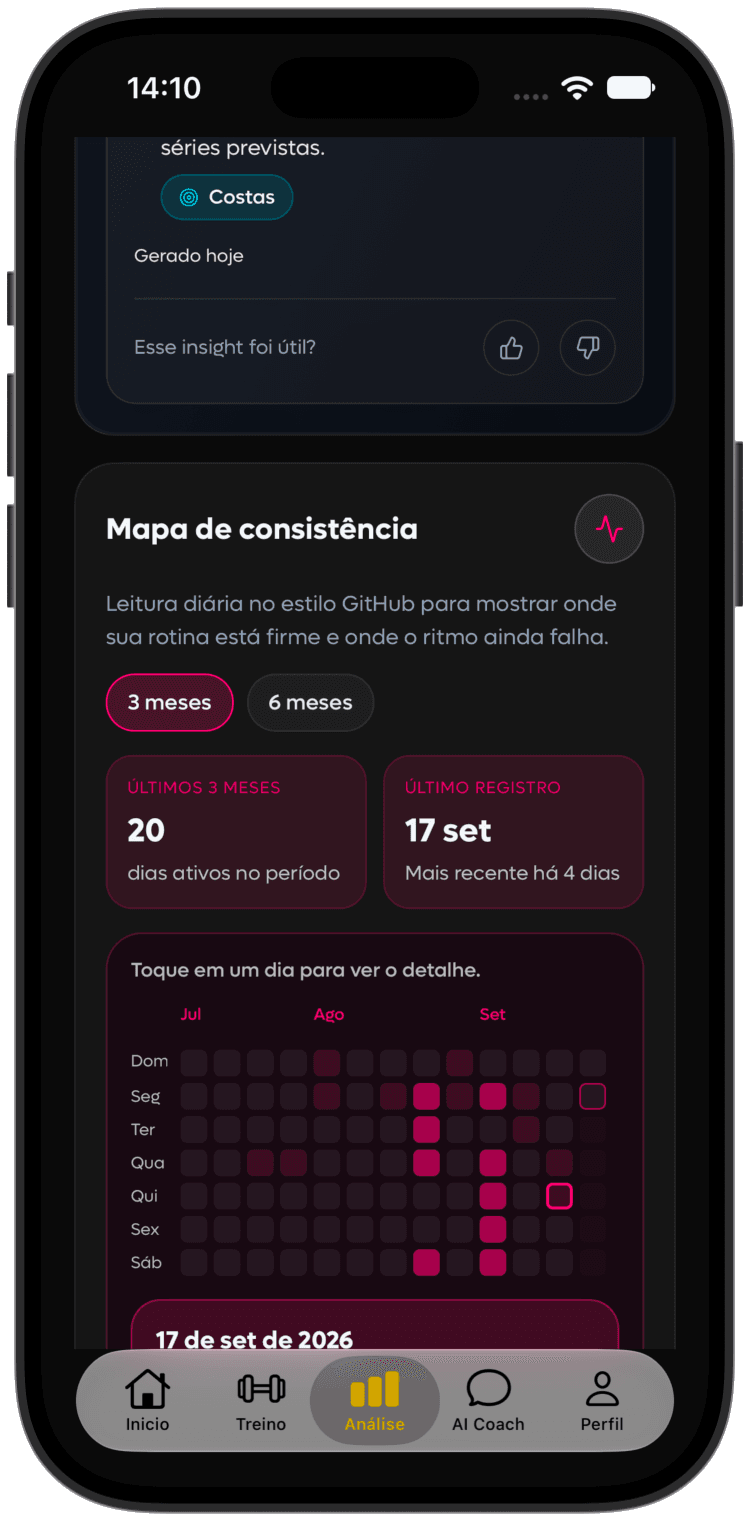
Training without looking back usually creates a false sense of stagnation. Many people improve but do not notice. That is why the training-analysis area matters so much inside SelfShapeAI. It is where you start seeing training frequency, most-worked muscle groups, load progress per exercise, best results, consistency patterns across the weeks and the weekly set count, comparing what the plan prescribed with what was actually executed.
That last point is especially useful. When you see planned sets against executed sets in the week, it becomes easier to understand whether the problem is in the strategy, the execution or simply the adherence. That gives a much more honest reading of your routine. And, if you want to connect that reading with hypertrophy and training volume, continue later in How to build more muscle, How many sets to build muscle and Supersets: how to use them and when they make sense.
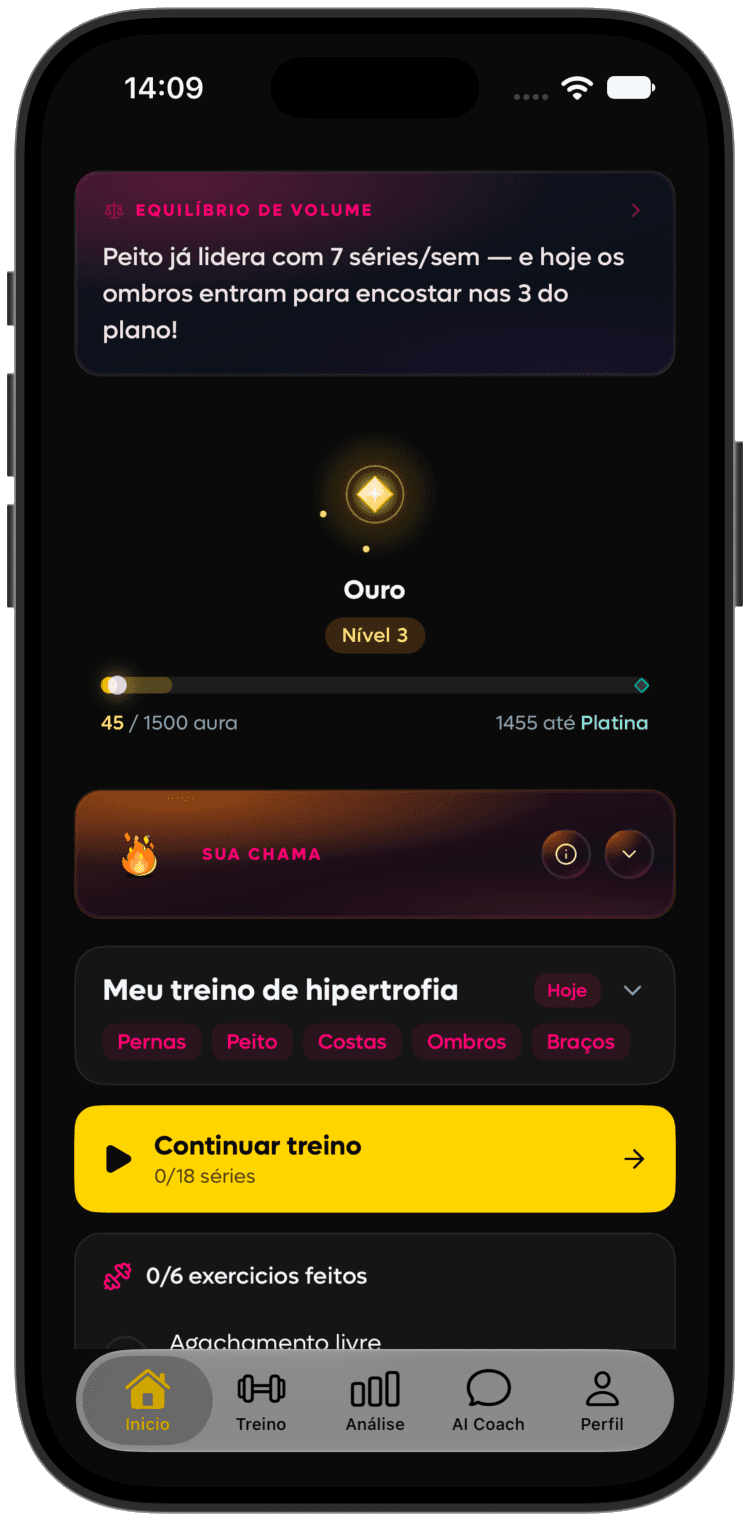
Use Aura, levels and history to maintain continuity
SelfShapeAI supports continuity as well as technical organization. The consistency flame, Aura earned through completed workouts, levels, ranks and history make consistency visible. They are not reasons to skip planned rest. Seeing your session history and behavioral progress can help sustain the habit.
Organize different phases with the plan library
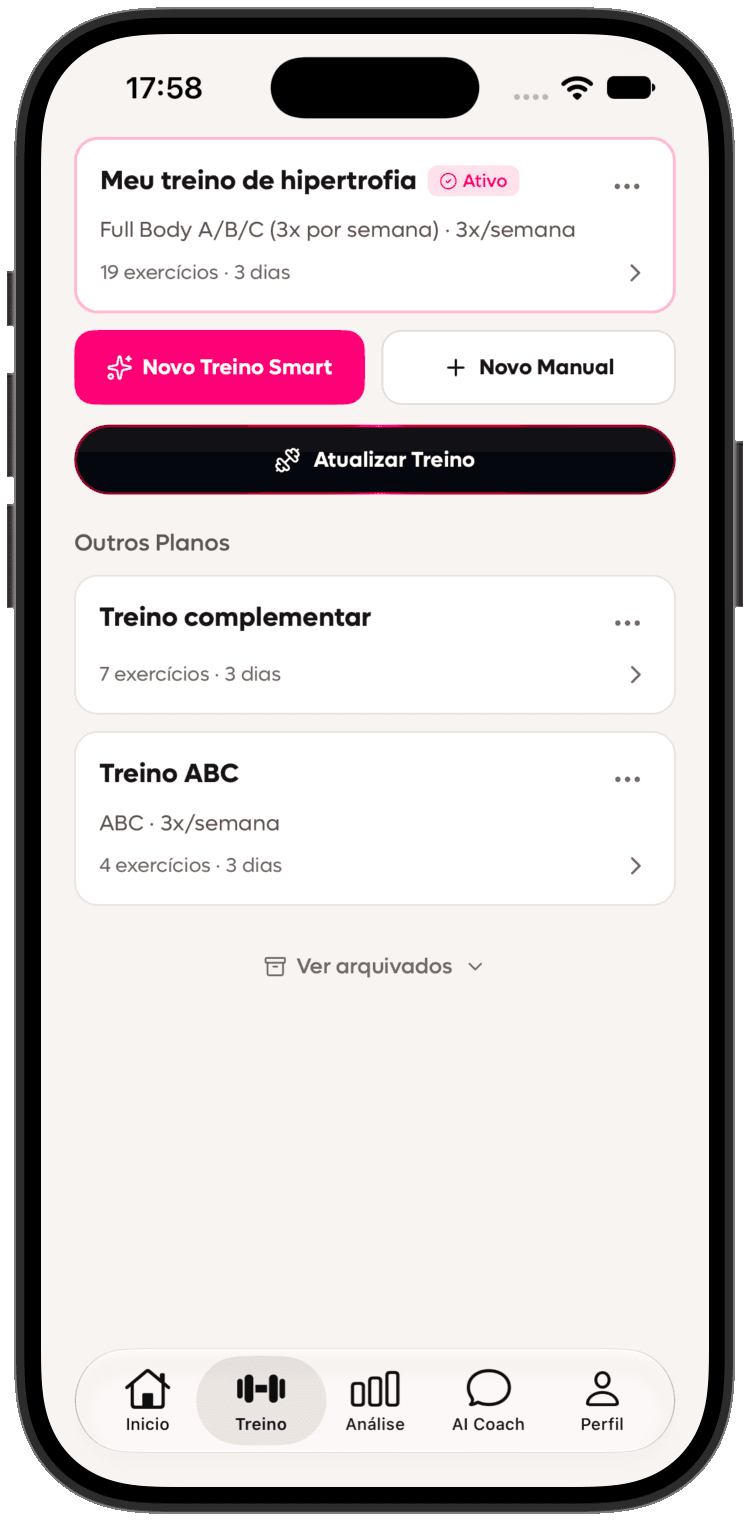
Another strong way to use SelfShapeAI is not treating the plan as a single, eternal piece. The plan library helps exactly with that. You can keep different versions for different phases of your journey and return to previous plans without losing organization. In practice, that makes sense for changing the training focus without erasing history, comparing old and current versions, creating different blocks for different phases and keeping an active plan without losing other important ones.
That is especially useful for anyone who likes training with more strategy and wants to better separate moments of volume, muscle focus, maintenance or return to routine. If you also like connecting content, practice and ecosystem, visit SelfShapeAI community later.
Track your body and keep stories from the journey
Body progress organizes weight, measurements and photos over time. Sleep and mood are optional records for observing your routine. Of these body metrics, only weight currently enters AI context; other records are not automatic health analysis.
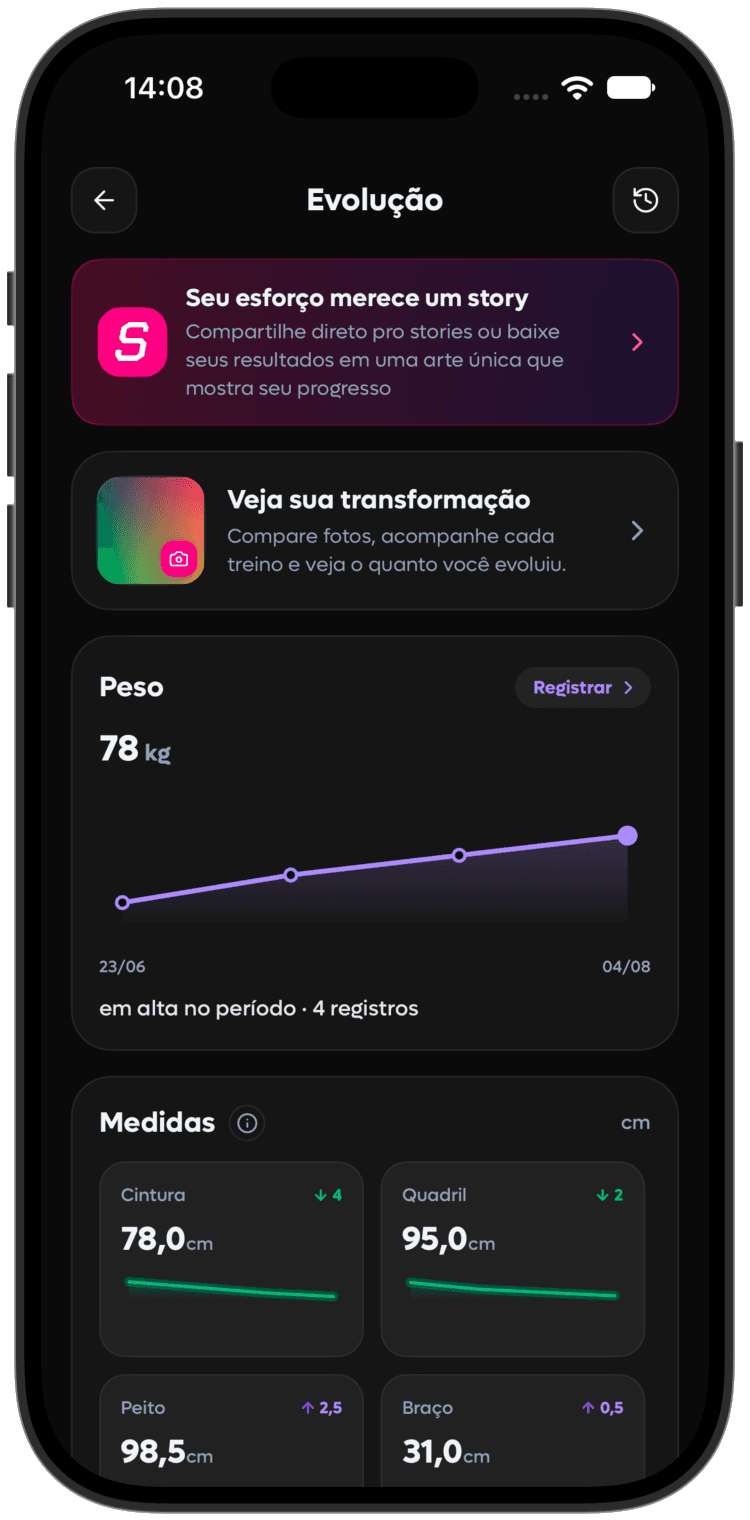
History can also store a private photo linked to a training day. If you choose to share, Story Studio turns real summary, record, calendar or streak data into a story. Saving a photo and publishing it are separate choices: you decide what leaves the app. See Returning to a training routine for a low-pressure restart.
Invite someone to begin with you through Chama Coletiva
Open Chama Coletiva in Profile to find your code and track the program's five achievements. Invitations that become participation, your workouts and honest feedback contribute. After meeting conditions, free accounts can request a free month; eligible PRO accounts can request the monthly gift. The app shows rules, your account's reward and request status.
Think of someone who could benefit from an explained plan. Introduce the app, explain why you use it and let them decide. See the Chama Coletiva guide for steps and criteria, and SelfShapeAI communities to exchange experiences.
Unsure about a screen? Reopen the in-app guide
Under Profile → App and privacy → App guide, find short chapters by area and return to the part you need. Choose light, dark or automatic theme there too. Start with your first plan and log; explore other areas as they help your routine.
Who this way of using SelfShapeAI makes the most sense for
- For those starting out who want a clearer order of use in the app.
- For those who already train but still rely on memory, improvisation and loose notes.
- For those who want more organized training without losing flexibility.
- For those who want to use AI as real support in the routine, not as a buzzword.
- For those who want to see progress with more clarity, not just feel like they are training.
- For those chasing more consistency who want to turn training into a process.
Frequently asked questions
- Do I need to use everything at once to benefit from SelfShapeAI?No. The best path is starting with the right sequence: context, plan, understanding the plan, check-in, AI Coach and training analysis.
- Should I generate the plan with AI or build it manually?It depends on your moment. If you want speed with personalization, the AI accelerates a lot. If you prefer full control from the start, manual can make more sense. In both cases, review AI training afterwards.
- Does the check-in really make a difference?It does, because it feeds the reading of your progress and improves the journey's context. Without a record, many decisions go back to depending on memory.
- Where do I see whether my week actually delivered?In Analysis, compare frequency, exercise progress and planned versus completed sets. Interpretation depends on logs: a week without check-ins does not prove no training occurred or results were lost.
SelfShapeAI works best when you use context to build a better plan, check-in to record the actual session, AI Coach to clarify questions and analysis to decide the next step. Explore AI training, see the features, compare Pricing and download SelfShapeAI for free to begin.
Take this method to the app

Create your plan with AI, log check-ins and use the AI Coach to adjust training with context.
Share
Euller Germano
SelfShapeAI technical and editorial team.
Keep learning
Recommended next article
Best workout tracking app in 2026: 7 options for lifting and cardio
Compare 7 workout apps in 2026 and see which works best for lifting, running, indoor cardio, mobility and a real routine.
Continue →